


概述
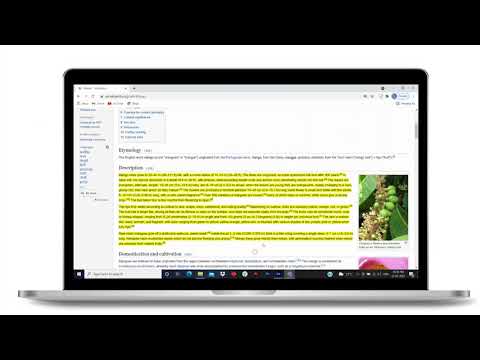
Highlight selected text in webpages, add notes and visit the webpage again to see highlighted text and saved notes.
🖍️ Online Highlighter Extension for Chrome™ – Save & Organize Your Research Effortlessly Looking for a reliable web 𝗛𝗶𝗴𝗵𝗹𝗶𝗴𝗵𝘁𝗲𝗿 Chrome™ extension to keep track of important information? This text highlighter Chrome™ extension makes it simple to highlight, save, and revisit key content on any webpage. 💡 𝗛𝗼𝘄 𝗜𝘁 𝗪𝗼𝗿𝗸𝘀: Highlight selected text on a webpage using the highlighter for Chrome™ and save it to view later. Add personal notes to highlighted sections and access them whenever you revisit the page. All your saved highlights and notes stay linked to the same webpage for quick reference. ⚡ 𝗤𝘂𝗶𝗰𝗸 𝗦𝗵𝗼𝗿𝘁𝗰𝘂𝘁𝘀 𝗳𝗼𝗿 𝗜𝗻𝘀𝘁𝗮𝗻𝘁 𝗛𝗶𝗴𝗵𝗹𝗶𝗴𝗵𝘁𝗶𝗻𝗴 Windows: Press Ctrl + Shift + 2 to highlight instantly. Mac: Press Cmd + Shift + 2 for fast highlighting. 📝 𝗔𝗱𝗱 𝗡𝗼𝘁𝗲𝘀 𝗘𝗳𝗳𝗼𝗿𝘁𝗹𝗲𝘀𝘀𝗹𝘆 Windows: Press Ctrl + Shift + 4 to add a note instantly. Mac: Press Cmd + Shift + 4 for quick note-taking. With this highlighter for web pages, you’ll never lose track of critical insights, research notes, or references again. 🚀 Perfect for students, professionals, and researchers who need an efficient highlighter Chrome™ extension to stay organized.
4.8 星(5 星制)91 个评分
详情
- 版本0.2.8
- 上次更新日期2025年12月16日
- 提供方Multivariate AI Solution
- 大小285KiB
- 语言English
- 开发者
邮箱
multivariateaisolutions@gmail.com - 非交易者该开发者尚未将自己标识为交易者。欧盟地区消费者须知:消费者权利可能不适用于您与该开发者达成的合约。
隐私权

该开发者已声明,您的数据:
- 不会因未获批准的用途出售给第三方
- 不会为实现与产品核心功能无关的目的而使用或转移
- 不会为确定信用度或放贷目的而使用或转移
支持
若有任何疑问、建议或问题,请在桌面浏览器中打开此页面