


Overview
Hide reposts from your Following timeline on Bluesky. One click, no page reload. Keep your feed original-posts only.
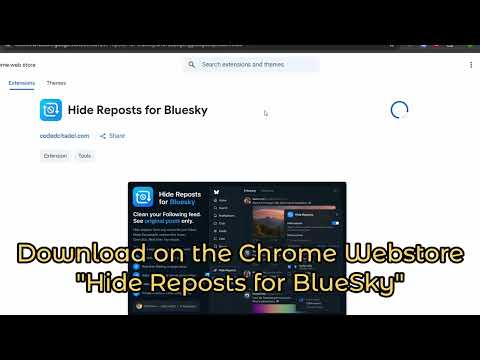
Tired of opening Bluesky and your Following feed is basically repost after repost? Want to keep following people you like, but only see what they actually wrote themselves? Wish you could pick which accounts get filtered, turn it on with one click, and never reload the page? Now you can! Hide Reposts for Bluesky adds a simple “Hide Reposts” control right inside bsky.app, so you can clean up your Following timeline without unfollowing anyone or fighting the default feed. HOW IT WORKS • On bsky.app, click **Hide Reposts** in the sidebar. • Turn hiding on or off with one toggle. • Choose which followed accounts to filter using checkboxes (search, paginate, or select all). • Close the menu and keep scrolling — reposts from selected accounts are hidden on your **Following** tab in real time. • Your settings are saved automatically and synced across Chrome sessions. FILTER BY ACCOUNT ☑️ Per-account control — Check the people whose reposts you want hidden. Everyone else stays visible. 🔍 Search — Quickly find accounts in your following list by name or handle. 📄 Pagination — Browse your full following list 15 accounts at a time. ✅ Select all / Unselect all — One click to check or clear everyone when you don’t feel like clicking hundreds of boxes. 🔄 Fresh following list — Each time you open the menu, your following list is refreshed so new follows show up. SMART FEED BEHAVIOR 👁 Reposts only — Original posts are never hidden. Only items with a “reposted by” label are affected. 📍 Following tab only — Works on your **Following** timeline. Discover and the rest of the site are left alone. ⚡ No page reload — Toggle on, close the menu, and the feed updates immediately. 📥 Feed backfill — If hiding reposts leaves your timeline looking empty, the extension nudges Bluesky to load more posts automatically. 📊 Stats — See how many reposts you’ve hidden over time, right inside the menu. FEATURES • Real-time hiding as posts load and as you scroll • Clean modal that fits Bluesky’s dark UI • Master on/off toggle without losing your account selections • Following list loaded from your Bluesky session (no separate login) • Lightweight: only needs storage permission • Available in English, German, Spanish, French, Japanese, Korean, Portuguese, and Simplified Chinese WHO IT’S FOR • Anyone whose Following feed feels noisy with reshares • People who want original posts only, but don’t want to unfollow half their list • Any BlueSky user who wants per-account control instead of an all-or-nothing block PRIVACY Hide Reposts for Bluesky runs only on bsky.app. It uses Chrome storage to remember your settings and following list cache. It does not collect personal data or send your feed to external servers. Questions or feedback? CodedCitadel@gmail.com
0 out of 5No ratings
Details
- Version1.0.2
- UpdatedJuly 4, 2026
- Size170KiB
- Languages7 languages
- DeveloperWebsite
Email
codedCitadel@gmail.com - Non-traderThis developer has not identified itself as a trader. For consumers in the European Union, please note that consumer rights do not apply to contracts between you and this developer.
Privacy

Hide Reposts for Bluesky has disclosed the following information regarding the collection and usage of your data. More detailed information can be found in the developer's privacy policy.
Hide Reposts for Bluesky handles the following:
This developer declares that your data is
- Not being sold to third parties, outside of the approved use cases
- Not being used or transferred for purposes that are unrelated to the item's core functionality
- Not being used or transferred to determine creditworthiness or for lending purposes
Support
For help with questions, suggestions, or problems, please open this page on your desktop browser