

Hide n' Seek: Hide Promoted Jobs & Companies

Обзор
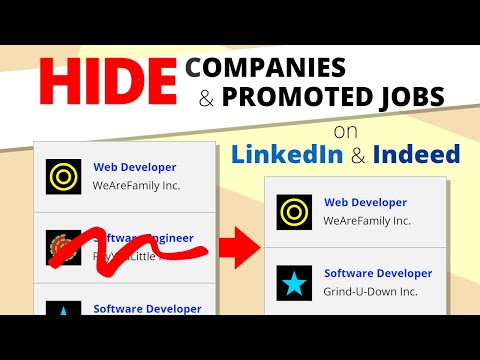
View the jobs you seek. Hide the ones you don't. Easily hide promoted jobs, companies, and more on LinkedIn, Indeed, and Glassdoor.
Hide n' Seek lets you easily remove promoted job postings and companies from your search results on LinkedIn, Indeed, and Glassdoor. You can also block job listings by keyword. ⭐ Usage ❗IMPORTANT: The first time you use Hide n' Seek on a job board you'll need to grant permissions in order for it to work, otherwise you won't see the block buttons on the listings. You'll know if you need to grant permissions if you see a yellow alert notification bubble next to the Hide n' Seek button on your browser's toolbar. You can grant permissions by clicking the Hide n' Seek button and then clicking the "Enable Hide n' Seek on {Job Board}" button. You can search for a job by clicking the Hide n' Seek button on the browser's toolbar or you can go directly to a supported job board's website to perform your search if you prefer. “Block” buttons are added next to every listing. If you see a listing you don’t like, simply click the button to hide it. By default, the listing will be hidden under an overlay. Alternatively, you can completely eliminate it from search results by enabling the “Do not display hidden jobs” option. To hide promoted jobs, click the “block” button on any promoted listing and then activate the “Promoted” toggle. To hide jobs by keyword, visit one of the supported job boards, click the Hide n' Seek button on your browser's toolbar, and then add keywords using the "Block by keyword" field. You can also view a list of everything you've hidden, and backup and restore your data by clicking the Hide n’ Seek button on your browser’s toolbar. 📋Supported Job Boards Glassdoor Indeed LinkedIn 🔒 Privacy Your data remains completely private and is never shared. All data is stored locally on your device and may sync across your devices if browser synchronization is enabled. 🔑 Permissions Hide n' Seek requires browser permissions to function. When you first try to use it on a job board, you'll be asked to grant permissions. "Read and change your data on all {Job Board} sites" This permission allows the addition of "Block" buttons and other UI elements to listings. "Read your browsing history" This permission enables the detection of LinkedIn, Indeed, and Glassdoor so the extension knows when to look for listings. Permissions are granted for a specific job board, so if you use multiple job boards, such as LinkedIn and Indeed, you'll need to grant permissions for each one individually. Some job boards, such as Glassdoor, use many country-specific domains (for example glassdoor.com, glassdoor.co.uk, glassdoor.ca), and in these cases Hide n' Seek will ask for permissions for all the domains used by the job board.
4,7 из 564 оценки
Подробности
- Версия8.2.1
- Обновлено12 января 2026 г.
- Размер363KiB
- ЯзыкиEnglish (United States)
- РазработчикСайт
Электронная почта
damian@outlook.com - Не продавецРазработчик не указал для себя статус продавца. Просим клиентов из Европейского союза обратить внимание, что на сделки между вами и этим разработчиком не распространяются законы о защите прав потребителей.
Конфиденциальность

Этот разработчик утверждает, что ваши данные:
- Не продаются третьим лицам, за исключением разрешенных вариантов использования
- Не используются и не передаются в целях, не связанных с работой основных функций продукта
- Не используются и не передаются для определения платежеспособности или в целях кредитования
Поддержка
Сообщить об ошибках в работе приложения, задать вопрос или поделиться идеями можно на сайте разработчика.