


Overview
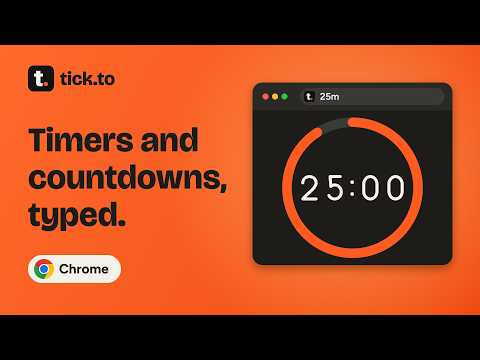
Type 25m or friday 5pm and it starts. The toolbar icon shows time left, alarms ring on time, stopwatch included. Free, no account.
Type 25m or friday 5pm and it starts. The toolbar icon shows time left, alarms ring on time, stopwatch included. Free, no account. The Chrome version of tick.to, the free timer and countdown site. Type what you mean. Open the popup and write 25m, friday 5pm, 6 oct 2026, christmas, or christmas -3d. A line under the box shows exactly what will start before you press Enter, so you never guess. WHAT YOU GET • Countdown timers that keep running with the popup closed, and a stopwatch • Days-until countdowns for Christmas, a birthday, an exam or any date • Pomodoro and Tabata programs, with your own work, rest and round lengths • A toolbar icon that becomes a ring emptying as time runs, with the minutes left on the badge • Start from the address bar: type tt, a space, and 25 • Up to ten pinned countdowns, each with its own time zone • A big view that fills the tab, plus a small floating window that stays on top • A finish sound you choose, and an optional notification with Again and +5 min • Keyboard shortcuts: Alt+Shift+O opens it, Alt+Shift+S starts your usual timer, Alt+Shift+P pauses Made for what people actually time: a Pomodoro study or focus session, a Tabata or interval workout, a presentation, dinner in the oven, or the days until Christmas, an exam or a launch. Glance, don't switch tabs. The ring in the toolbar shows how much is left without opening anything. Pause, resume, add a minute, or stop from the popup. Read it from across the room. The big view fills the whole tab with digits you can read at arm's length, for a workout, a meeting, or a presentation. Tabata shows work and rest in different colors and counts you in with 3, 2, 1. A finish you will notice. When time is up you get a chime, a finished screen with one button to go again, and, if you allow it, a notification. If your computer slept through the end, it tells you when the timer ended. Free. No account. Works offline. There is nothing to sign in to and nothing to pay for. tick.to for Chrome keeps your timers and countdowns in this browser. They are not sent anywhere. Once a day it downloads the public list of upcoming event dates from tick.to; that request contains nothing about you. The extension does not read the pages you visit. There are no analytics or trackers. WHAT'S NEW IN 1.3 • Cast your timer to a TV: the Cast button in the big view shows the countdown timer, Pomodoro, Tabata or stopwatch full screen on a Chromecast or Google TV, in sync with your computer
0 out of 5No ratings
Details
- Version1.3.0
- UpdatedOctober 4, 2026
- Size680KiB
- Languages11 languages
- DeveloperWebsite
Email
jai@mutabl.es - Non-traderThis developer has not identified itself as a trader. For consumers in the European Union, please note that consumer rights do not apply to contracts between you and this developer.
Privacy

This developer declares that your data is
- Not being sold to third parties, outside of the approved use cases
- Not being used or transferred for purposes that are unrelated to the item's core functionality
- Not being used or transferred to determine creditworthiness or for lending purposes
Support
For help with questions, suggestions, or problems, please open this page on your desktop browser