


Overview
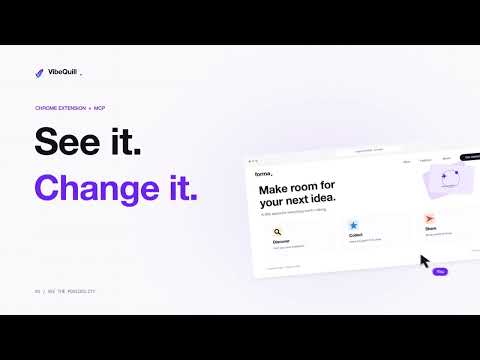
Select page elements or draw annotations, then leave comments on them.
Turn visual website feedback into clear instructions for your AI coding agent. VibeQuill lets you select components, draw annotations, and describe changes directly on a website. Send your request with the relevant page context to your connected coding agent through MCP. Instead of explaining where a button is, select it and write “Make this smaller.” Highlight a section, point out a spacing issue, or review the mobile layout while your agent handles the code changes. WHAT YOU CAN DO • Select page elements Attach headings, buttons, images, and other components to your instructions. • Annotate visually Draw attention to an area and leave comments explaining what should change. • Send feedback from the side panel Submit instructions and page context, follow request status, and read the agent’s reported result in Chrome. • Review mobile layouts Switch to a centred phone preview. Feedback captured in mobile mode retains its viewport details so your agent understands the layout you were reviewing. • Preview earlier changes Open a saved image of the visible page from before an eligible request. • Restore source checkpoints When a checkpoint is available, roll back after reviewing a confirmation warning. Restoring a checkpoint removes later changes covered by that rollback. CONNECT YOUR CODING TOOL The VibeQuill MCP installer configures Cursor, Claude Code, Codex, and Antigravity. Other local MCP clients may require manual configuration. For existing MCP coding chats, start a watch task so your agent can receive requests. Antigravity CLI also supports direct execution after you connect your website to its source folder and approve edits. GETTING STARTED 1. Install VibeQuill and open it on your development website. 2. Copy the setup prompt from the side panel into your coding agent. 3. Complete setup and restart your coding tool. 4. Choose your connected agent. 5. Select or annotate something, describe the change, and press Send. REQUIREMENTS • Google Chrome 116 or later. • Node.js 22 or later for the separate MCP installation. • A compatible local coding tool on the same computer. • Access to the website’s source project for code changes. • Your coding tool’s own account, subscription, or API access where required. DATA AND CONNECTION VibeQuill connects Chrome to a local service on your computer. Sending a request shares your instruction and relevant context, which can include the page URL, selected element text, selectors, annotations, viewport details, and recent conversation context. Your coding agent may send this information to its configured AI provider. Before-change preview images are stored locally and are separate from the normal agent feedback payload. Agent permissions and approvals still apply. Code changes depend on the connected agent receiving and completing your request.
0 out of 5No ratings
Details
- Version1.12.2
- UpdatedNovember 8, 2026
- Size436KiB
- LanguagesEnglish
- DeveloperWebsite
Email
organiqspace@gmail.com - Non-traderThis developer has not identified itself as a trader. For consumers in the European Union, please note that consumer rights do not apply to contracts between you and this developer.
Privacy

VibeQuill has disclosed the following information regarding the collection and usage of your data. More detailed information can be found in the developer's privacy policy.
VibeQuill handles the following:
This developer declares that your data is
- Not being sold to third parties, outside of the approved use cases
- Not being used or transferred for purposes that are unrelated to the item's core functionality
- Not being used or transferred to determine creditworthiness or for lending purposes