

Heymarket - Business Text Messaging

Ringkasan
Click to text from any CRM or webpage.
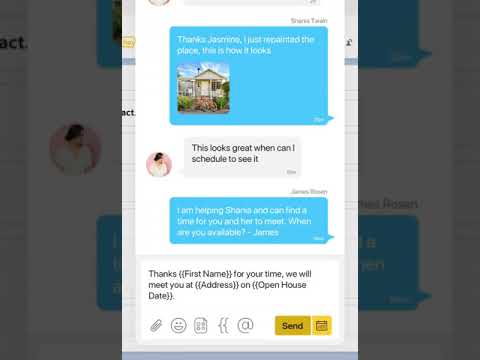
Heymarket makes it simple to text any number directly from a website with just a click. How the Chrome Extension Works With this Chrome extension, a HEY icon will appear next to each phone number on web pages in your Chrome browser. Click the HEY icon to compose and send a text message to the number. The text message will come either from your existing, text-enabled business number or a new phone number that Heymarket can provide. The text message is recorded in Heymarket, where you can further manage the conversation. Requires a Heymarket subscription. Visit www.heymarket.com to get started! Use Cases Sales, Marketing and Customer Success teams use the Heymarket Chrome extension to easily text with customers. Open up your favorite CRM, like Salesforce or HubSpot, or ticketing system, like Zendesk, and text the numbers in your databases right where they appear in your browser. Operations teams use Heymarket to communicate with employees and contractors. Just open up your contact list in ERP, Google Sheets or any other website on Chrome and text important messages and updates to the phone numbers on your screen. About Heymarket Heymarket gives you the power to communicate with customers on any messaging channel using a shared inbox. Heymarket is a business texting platform built with teams in mind so anyone can get up and running fast and securely integrate the tools you use every day to manage customer relationships. Go to www.heymarket.com to sign up for a demo or a free trial! Or contact us at help@heymarket.com or text us at 415-562-0500.
3,2 dari 55 rating
Detail
- Versi1.6.0
- Diupdate19 Februari 2026
- Ukuran83.42KiB
- BahasaEnglish
- Developer
- Non-pedagangDeveloper ini tidak mengidentifikasi diri sebagai pedagang. Bagi konsumen di Uni Eropa, perlu diperhatikan bahwa hak konsumen tidak berlaku untuk kontrak antara Anda dan developer ini.
Privasi

Developer ini menyatakan bahwa data Anda
- Tidak dijual ke pihak ketiga, di luar kasus penggunaan yang disetujui
- Tidak digunakan atau ditransfer untuk tujuan yang tidak terkait dengan fungsi inti item
- Tidak digunakan atau ditransfer untuk menentukan kelayakan kredit atau untuk tujuan pinjaman
Dukungan
Untuk mendapatkan bantuan terkait pertanyaan, saran, atau masalah, kunjungi situs dukungan developer