


Overview
Helpa for Meta Ads Manager — sidebar, history, dark mode, daily budget, monthly budget, and budget adjustments.
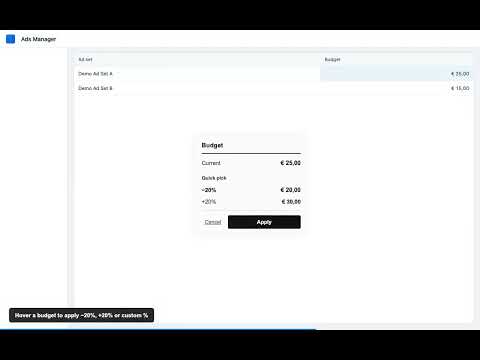
Helpa makes working in Meta Ads Manager faster and easier. The extension adds a useful sidebar, shows your change history, and supports dark mode for comfortable long sessions. With Helpa, you can view and manage budgets more easily: • Daily budget at a glance • Monthly budget clearly visible • Quick budget adjustments without extra steps Helpa is built for advertisers, media buyers, and marketers who work in Meta Ads Manager every day and want to save time on repetitive tasks. Installation: 1. Install Helpa 2. Open Meta Ads Manager 3. Use the sidebar and budget tools directly in your workflow Privacy: Helpa only processes what is needed for the extension to work in Meta Ads Manager. No unnecessary data collection.
0 out of 5No ratings
Details
- Version1.5
- UpdatedSeptember 22, 2026
- Size76.35KiB
- LanguagesEnglish
- DeveloperWebsite
Email
damian.offenberg@manifyagency.com - Non-traderThis developer has not identified itself as a trader. For consumers in the European Union, please note that consumer rights do not apply to contracts between you and this developer.
Privacy

This developer declares that your data is
- Not being sold to third parties, outside of the approved use cases
- Not being used or transferred for purposes that are unrelated to the item's core functionality
- Not being used or transferred to determine creditworthiness or for lending purposes
Support
For help with questions, suggestions, or problems, visit the developer's support site