


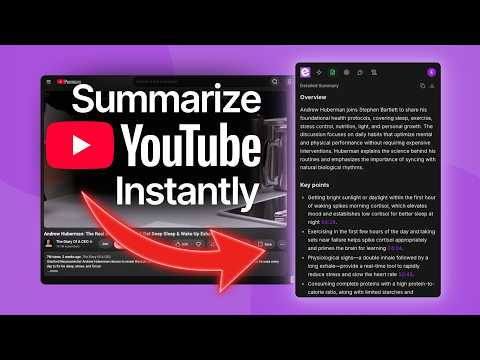
Overview
AI-powered YouTube summaries and transcripts, right inside the video page. Short, detailed, or Q&A.
Generate accurate transcripts and AI-powered summaries for any YouTube video, right inside the page. ekstrakt gives you clean transcripts and concise AI summaries directly inside YouTube, with no tab switching and no pasting links into another app. Every point in a summary carries the timestamp it came from, so you can jump to the moment behind it and check it for yourself. Once installed, a summary panel appears next to the video player automatically. Whether you're studying, reviewing tutorials, researching, or catching up on long videos, ekstrakt saves you the time of watching the whole thing. ⭐ Top Features - In-page YouTube Operation: Generate summaries and transcripts while watching, no tab switching required. - Timestamp Citations: Every key point is marked with the moment it came from. Click the timestamp and the video jumps straight there. - Four Summary Styles: Short, Detailed, Straight-to-Answer, or Ask-a-Question. Pick the format that fits what you need. - Live Streaming Results: Watch summaries generate in real time instead of waiting for a finished result. - Clickable Transcript Timestamps: Jump the video to the exact moment behind any line of the transcript. - One-Click Copy & Download: Copy to clipboard or download summaries and transcripts as text files instantly. - Multi-Language Summaries: Generate summary output in your preferred language from your profile settings. - Theme-Aware UI: Automatically matches YouTube's light or dark mode. 🚀 How to Use 1. Install the extension and open any YouTube video. 2. The ekstrakt panel appears next to the video player automatically. 3. Choose a summary type (Short, Detailed, Straight-to-Answer, or Ask-a-Question) and get an AI-generated summary in seconds. 4. Click any timestamp in the summary to send the video to the moment that point came from. 5. Switch to the Transcript tab to read along or jump to any moment in the video. 6. Copy or download your summary or transcript with one click. 💡 FAQs Q: Does the extension work with all YouTube videos? It works with most public YouTube videos. Private, restricted, or videos without available captions may not be supported. Q: Do I need to sign up to use it? You can try summaries without an account using free trial credits. Signing in (Google, Apple, or email) unlocks your full credit balance and saves your preferences across devices. Q: What are the timestamps inside a summary? Each key point ends with the moment in the video it came from, written like [04:12]. Clicking it seeks the player already on the page, so checking a point against the video costs one click and never loses your place. Middle-click opens that moment in a new tab instead. Q: Is it free to use? Yes, to start. Every account gets free trial credits for summaries and transcripts with no credit card required. Paid plans are available for higher usage. Q: What languages are supported? Summaries can be generated in your preferred language from your profile settings, independent of the video's original spoken language. 📬 Contact Us Have questions or need support? Reach out to us: Email: support@ekstrakt.app Learn More: https://ekstrakt.app
4.9 out of 516 ratings
Details
- Version1.6.0
- UpdatedOctober 7, 2026
- FeaturesOffers in-app purchases
- Size156KiB
- LanguagesEnglish (United States)
- DeveloperWebsite
Email
support@ekstrakt.app - Non-traderThis developer has not identified itself as a trader. For consumers in the European Union, please note that consumer rights do not apply to contracts between you and this developer.
Privacy

ekstrakt: YouTube Summarizer has disclosed the following information regarding the collection and usage of your data. More detailed information can be found in the developer's privacy policy.
ekstrakt: YouTube Summarizer handles the following:
This developer declares that your data is
- Not being sold to third parties, outside of the approved use cases
- Not being used or transferred for purposes that are unrelated to the item's core functionality
- Not being used or transferred to determine creditworthiness or for lending purposes
Support
For help with questions, suggestions, or problems, visit the developer's support site