

Current Open

Overview
Modern developers live inside structured knowledge systems like Notion, documentation pages, and task managers. However, there is…
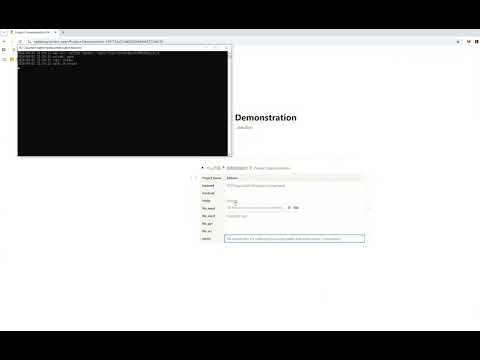
Modern developers live inside structured knowledge systems like Notion, documentation pages, and task managers. However, there is always a gap between planning and execution. You write: Project notes TODO lists Architecture documents GitHub links Local file paths But when it’s time to actually work, you still have to: Open File Explorer Navigate to the project folder Launch IntelliJ IDEA / WebStorm / GoLand Open research tools like Zotero This context switching costs time and mental energy. Current-Open eliminates that gap. What Current-Open Does Current-Open turns Notion (or your knowledge workspace) into a real execution entry point, not just a passive documentation tool. With one click, you can: Open local folders Open specific local files Launch IntelliJ IDEA Launch WebStorm Launch GoLand Open Zotero Instead of switching tools manually, your workspace becomes your control center. Why You Should Install It 1️⃣ Reduce Context Switching Developers lose productivity not because of complexity, but because of interruptions. Every time you leave Notion to manually open folders or applications, you break your flow. Current-Open keeps you in your thinking space while instantly launching the tools you need. 2️⃣ Turn Knowledge Into Action Most knowledge systems are static. Current-Open makes them actionable. Your project page can now: Open the correct local directory Launch the exact IDE for that project Open your research library in Zotero Your documentation becomes operational. 3️⃣ Speed Up Daily Development Workflow If you: Frequently switch between multiple projects Use JetBrains IDEs daily Keep structured project dashboards in Notion Combine research and development workflows Then this plugin saves minutes every day — which compounds into hours every month. 4️⃣ Ideal For Developers & Knowledge Workers If you are: A developer managing multiple repositories A productivity-focused builder A Notion-heavy knowledge organizer A researcher using Zotero alongside coding tools Current-Open upgrades your workspace into a lightweight project launcher. The Core Philosophy Notion is where you think. Your IDE is where you build. Current-Open connects the two. Instead of separating knowledge and execution, it merges them into a seamless workflow.
0 out of 5No ratings
Details
- Version0.2.0
- UpdatedJuly 22, 2026
- Size10.74KiB
- LanguagesEnglish
- Developer
Email
aloveright@gmail.com - Non-traderThis developer has not identified itself as a trader. For consumers in the European Union, please note that consumer rights do not apply to contracts between you and this developer.
Privacy

This developer declares that your data is
- Not being sold to third parties, outside of the approved use cases
- Not being used or transferred for purposes that are unrelated to the item's core functionality
- Not being used or transferred to determine creditworthiness or for lending purposes