


Overview
Run a private guided headphone check for channels, balance, bass seal and stereo phase in Chrome's side panel.
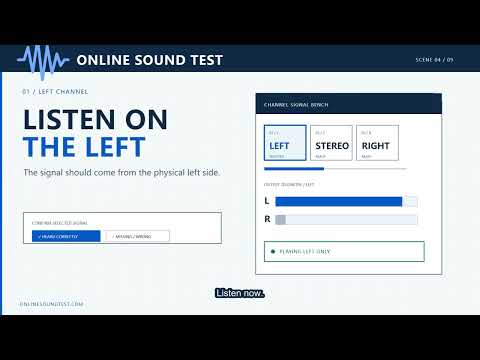
Headphone Test turns Chrome's Side Panel into a guided local headphone check. Move through five controlled stages: safe setup, left-right routing, center balance, bass seal and stereo phase. After each signal, record what physically reached your ears. The extension turns those observations into a private functional summary and a relevant troubleshooting next step. Main features: - Separate left and right channel checks - Equal-level center image comparison - Reduced-level 80 Hz and 50 Hz bass seal comparison - In-phase and out-of-phase stereo comparison - Rule-based local result summary - Adjustable app attenuation from −42 dB to −12 dB - Persistent Chrome Side Panel workflow - No microphone, page, tab, browsing-history or site-data access - No accounts, analytics, advertising, stored answers or remote code Headphone Test verifies the digital signals it generates. You confirm the physical output. It is not a medical hearing test, calibrated frequency-response measurement, sound-pressure meter, burn-in tool or automatic hardware detector.
5 out of 51 rating
Details
- Version1.0.0
- UpdatedAugust 15, 2026
- Size119KiB
- LanguagesEnglish
- DeveloperWebsite
Email
zylics2021@protonmail.com - Non-traderThis developer has not identified itself as a trader. For consumers in the European Union, please note that consumer rights do not apply to contracts between you and this developer.
Privacy

This developer declares that your data is
- Not being sold to third parties, outside of the approved use cases
- Not being used or transferred for purposes that are unrelated to the item's core functionality
- Not being used or transferred to determine creditworthiness or for lending purposes
Support
For help with questions, suggestions, or problems, visit the developer's support site