


Overview
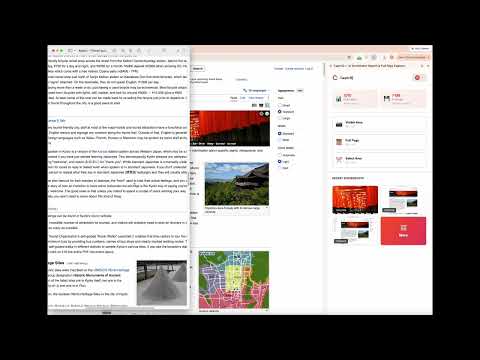
Full page screenshot in one click, free with no account. Save as PDF, or sign in free to copy text from screenshots and search them.
CaptrIQ takes a full page screenshot in one click: the whole page, including long scrolling pages and pages that scroll inside a box, like chats and web apps. Turn screenshots into text, save them as PDF, and search them later. 📸 CAPTURE • Full page: Ctrl+Shift+F (Mac: Alt+Shift+F) • Visible area: Ctrl+Shift+S (Mac: Alt+Shift+S) • Selected area: Ctrl+Shift+A (Mac: Alt+Shift+A) • Right-click menu • Very long pages are saved as several images instead of being shrunk 🆓 FREE, NO ACCOUNT NEEDED • Captures are kept in a library on your computer • Download as PNG, JPG or PDF • Mark up with arrows, shapes, text, blur and crop (saving the edited image needs a free account) ☁️ SIGN IN FREE FOR YOUR CLOUD LIBRARY • Captures upload to your CaptrIQ library automatically • The text in each screenshot is extracted (OCR), so you can copy it and search by what it says • Free account: 30 cloud captures a month, 500 MB kept for 7 days, search across your 25 most recent captures ⭐ PRO • 300 cloud captures a month and 20 GB of storage, kept as long as you like • Search your whole library • Review and hide sensitive details (API keys, emails, cards, addresses) before sharing; share links show the redacted copy • Copy for AI: turn a capture into clean Markdown for ChatGPT, Claude and other assistants • Batch capture: up to 10 web pages in one go 🔒 PRIVACY • No access to the sites you visit until you start a capture there • Anonymous usage statistics only (no URLs, page titles or screenshots); turn them off in Settings • Privacy policy: https://captriq.com/privacy Support: support@captriq.com
5 out of 51 rating
Details
- Version1.2.2
- UpdatedNovember 19, 2026
- FeaturesOffers in-app purchases
- Size383KiB
- LanguagesEnglish (United States)
- DeveloperWebsite
Email
support@narma.tech - Non-traderThis developer has not identified itself as a trader. For consumers in the European Union, please note that consumer rights do not apply to contracts between you and this developer.
Privacy

CaptrIQ — Full Page Screenshot to Text, PDF & Search has disclosed the following information regarding the collection and usage of your data. More detailed information can be found in the developer's privacy policy.
CaptrIQ — Full Page Screenshot to Text, PDF & Search handles the following:
This developer declares that your data is
- Not being sold to third parties, outside of the approved use cases
- Not being used or transferred for purposes that are unrelated to the item's core functionality
- Not being used or transferred to determine creditworthiness or for lending purposes
Support
For help with questions, suggestions, or problems, visit the developer's support site