

WebScaly

Overview
Local video enhancement with WebGPU and WebGL on websites you approve.
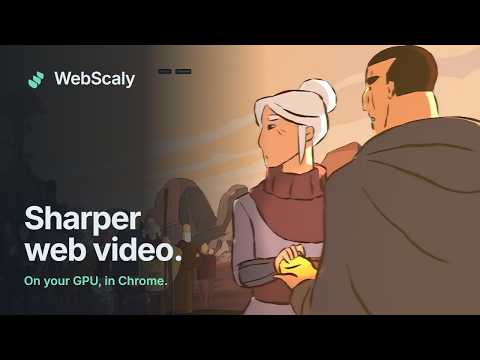
Enhance the videos you watch, right in your browser. WebScaly sharpens detail, cleans up noise and banding, and upscales video on websites you approve, while your usual player keeps control of playback and sound. CHOOSE YOUR ENHANCEMENT Spatial Detail: light, works on any video. Anime4K: restores line art and flat colour in animation. FSRCNNX: reconstructs finer detail in camera footage with 2× upscaling. Every engine is followed by a high-quality scaler (bicubic or Lanczos) and adaptive sharpening at your screen size. FINE-TUNE THE PICTURE Adjust sharpening, denoise, deband, vibrance, contrast and brightness. Keep different settings for different websites, or apply a built-in preset: Anime, Live action, Low-res rescue or Battery friendly. A live before/after preview in Settings shows the effect on generated test footage. SMOOTH ON ANY DEVICE Adaptive performance steps down quality when your graphics card falls behind instead of stuttering. Leave already-sharp videos untouched, save battery while unplugged, or pause everything with one click. A QUIET, COMPACT INTERFACE The popup shows the engine, resolution and speed at a glance. Optional in-player controls, comparison slider, snapshot and performance HUD stay hidden until you turn them on, and the controls hide while you watch. Keyboard shortcuts switch enhancement, comparison and engine, and the toolbar badge shows when a video is being enhanced. YOU CONTROL WEBSITE ACCESS WebScaly has no website access by default. Click Allow on this website, then Allow in Chrome. If a page uses an embedded player, approve that player's website too. Remove access whenever you want. YOUR VIDEOS STAY ON YOUR DEVICE No accounts, tracking, analytics, cloud processing or automatic uploads. Website addresses, video frames and settings are used locally to provide enhancement. Snapshots are saved only when you ask, to your own downloads. The developer does not receive your browsing activity or videos. WHEN DIRECT ACCESS IS RESTRICTED The optional compatibility player lets you explicitly share your source tab and select the video area for local enhancement. Audio remains in the original tab. Nothing is recorded or uploaded. COMPATIBILITY Requires Chrome 121 or newer. Performance and available engines depend on your browser, GPU and video player. A lighter spatial fallback is available when supported. Protected video and browser security restrictions can prevent enhancement. Support is not guaranteed for every website or device. SUPPORT Questions or feedback: notlorcuz@gmail.com Bug reports: https://github.com/Lorcuz/webscaly/issues Privacy: https://github.com/Lorcuz/webscaly/blob/main/PRIVACY.md WebScaly is free and open source. Optional support is available in Settings → About.
0 out of 5No ratings
Details
- Version0.4.0
- UpdatedOctober 24, 2026
- Size3.24MiB
- LanguagesEnglish
- Developer
Email
notlorcuz@gmail.com - Non-traderThis developer has not identified itself as a trader. For consumers in the European Union, please note that consumer rights do not apply to contracts between you and this developer.
Privacy

WebScaly has disclosed the following information regarding the collection and usage of your data. More detailed information can be found in the developer's privacy policy.
WebScaly handles the following:
This developer declares that your data is
- Not being sold to third parties, outside of the approved use cases
- Not being used or transferred for purposes that are unrelated to the item's core functionality
- Not being used or transferred to determine creditworthiness or for lending purposes
Support
For help with questions, suggestions, or problems, visit the developer's support site