
![「HBO Max HQ: change video quality [QVI]」的項目標誌圖片](https://lh3.googleusercontent.com/zEedbD00ja7v2G6Q43WUqur8ZrNnGkYgTSX7ePGyLXhateMpQHYXG1IwS2E5MLCtbVXq9R2OcfusUk2X7aLwRzOk=s60)
HBO Max HQ: change video quality [QVI]
92 個評分
)![HBO Max HQ: change video quality [QVI]的項目媒體 2 (螢幕截圖)](data:image/gif;base64,R0lGODlhAQABAIAAAP///////yH5BAEKAAEALAAAAAABAAEAAAICTAEAOw==)
總覽
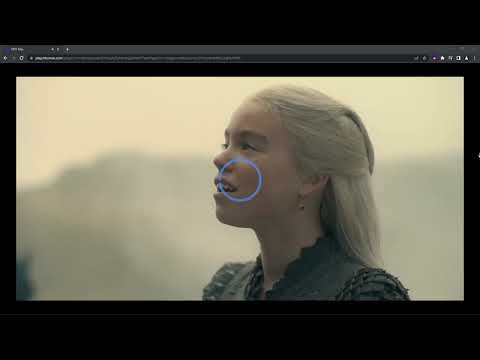
Extension to change video quality on HBO Max. Choose your preferred video resolution on HBO Max.
We've updated the extension to work after some changes on HBO Max website. Adjust HBO Max video quality to your needs and your internet connection. With this extension, you will never experience annoying buffering again! You can choose your preferred video resolution in a simple popup window and watch the content in one of the available options: ➡️ None ➡️ Low Definition ➡️ Standard Definition ➡️ High Definition ➡️ Full HD ➡️ QHD All you need to do is add the HBO Max HQ extension to your browser and enjoy your favorite series in preferred video quality. It's as simple as that! ⭐ How does it work? ⭐ Extension forces the video to reload in the chosen resolution. Please note that if you set higher quality than is available in HBO Max, the extension will automatically reload video for the best quality available. This extension is part of the Quality Viewership Initiative, a collaborative effort to enhance the understanding of audience engagement. It collects anonymous, aggregated viewing insights to support creators and studios in improving the quality of their content. You can stop sharing your information at any time by switching the toggle on the options page. Disclaimer: HBO is a trademark of Home Box Office, Inc. This website & extension hold no association or affiliation with HBO Max or any third-party companies.
3.2 分 (滿分 5 分)92 個評分
詳細資料
- 版本1.0.42
- 已更新2026年4月2日
- 提供者TheBestChromeExtensions
- 大小163KiB
- 語言8 種語言
- 開發人員HideApp LLC
1021 East Lincolnway Cheyenne, WY 82001 US電子郵件
disneypictureinpicture@gmail.com電話
+1 802-284-5301 - 交易商這位開發人員表明自己是交易商 (依歐盟的定義),並承諾只提供符合歐盟法律的產品或服務。
- 鄧白氏環球編碼132615120
隱私權

「HBO Max HQ: change video quality [QVI]」已揭露下列關於收集及使用資料的資訊。 如需更多詳細資訊,請參閱開發人員的《privacy policy》。
HBO Max HQ: change video quality [QVI] 會處理下列資料:
這位開發者就你的資料做出下列聲明:
- 除經核准的用途外,不會將你的資料販售給第三方
- 不會基於與商品核心功能無關的目的,使用或轉移資料
- 不會為了確認信用度或基於貸款目的,使用或轉移資料
支援
如有疑問或建議,請使用電腦版瀏覽器開啟這個頁面