
![HBO Max HQ: change video quality [QVI]의 상품 로고 이미지](https://lh3.googleusercontent.com/zEedbD00ja7v2G6Q43WUqur8ZrNnGkYgTSX7ePGyLXhateMpQHYXG1IwS2E5MLCtbVXq9R2OcfusUk2X7aLwRzOk=s60)
HBO Max HQ: change video quality [QVI]
평점 89개
)![HBO Max HQ: change video quality [QVI]의 항목 미디어 2(스크린샷)](data:image/gif;base64,R0lGODlhAQABAIAAAP///////yH5BAEKAAEALAAAAAABAAEAAAICTAEAOw==)
개요
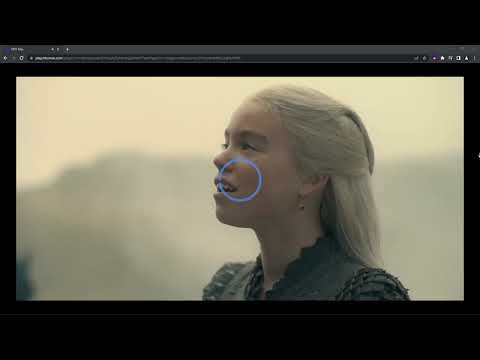
Extension to change video quality on HBO Max. Choose your preferred video resolution on HBO Max.
We've updated the extension to work after some changes on HBO Max website. Adjust HBO Max video quality to your needs and your internet connection. With this extension, you will never experience annoying buffering again! You can choose your preferred video resolution in a simple popup window and watch the content in one of the available options: ➡️ None ➡️ Low Definition ➡️ Standard Definition ➡️ High Definition ➡️ Full HD ➡️ QHD All you need to do is add the HBO Max HQ extension to your browser and enjoy your favorite series in preferred video quality. It's as simple as that! ⭐ How does it work? ⭐ Extension forces the video to reload in the chosen resolution. Please note that if you set higher quality than is available in HBO Max, the extension will automatically reload video for the best quality available. This extension is part of the Quality Viewership Initiative, a collaborative effort to enhance the understanding of audience engagement. It collects anonymous, aggregated viewing insights to support creators and studios in improving the quality of their content. You can stop sharing your information at any time by switching the toggle on the options page. Disclaimer: HBO is a trademark of Home Box Office, Inc. This website & extension hold no association or affiliation with HBO Max or any third-party companies.
5점 만점에 3.2점평점 89개
세부정보
- 버전1.0.38
- 업데이트됨2025년 12월 31일
- 제공TheBestChromeExtensions
- 크기153KiB
- 언어언어 8개
- 개발자HideApp LLC
1021 East Lincolnway Cheyenne, WY 82001 US이메일
disneypictureinpicture@gmail.com전화
+1 802-284-5301 - 판매자개발자가 유럽연합에서 정의한 바에 따라 본인을 판매자로 밝혔으며 EU 법규를 준수하는 제품 또는 서비스만 제공하기로 약정했습니다.
- D-U-N-S132615120
개인정보 보호
HBO Max HQ: change video quality [QVI]에서 데이터 수집 및 사용과 관련하여 다음 정보를 공개했습니다. 더 자세한 정보는 개발자의 privacy policy을 참고하세요.
HBO Max HQ: change video quality [QVI] 항목은 다음을 처리합니다.
개발자가 사용자 데이터에 관해 다음과 같이 선언했습니다
- 승인된 사용 사례를 제외하고 서드 파티에 판매하지 않음
- 항목의 핵심 기능과 관련 없는 목적으로 사용하거나 전송하지 않음
- 신용도 판단 또는 대출 목적으로 사용하거나 전송하지 않음
지원
질문, 제안 또는 문제와 관련하여 도움이 필요하면 데스크톱 브라우저에서 이 페이지를 여세요.