
![HBO Max HQ: change video quality [QVI] のアイテムロゴ画像](https://lh3.googleusercontent.com/zEedbD00ja7v2G6Q43WUqur8ZrNnGkYgTSX7ePGyLXhateMpQHYXG1IwS2E5MLCtbVXq9R2OcfusUk2X7aLwRzOk=s60)
HBO Max HQ: change video quality [QVI]
90 件の評価
)![HBO Max HQ: change video quality [QVI] のアイテム メディア 2 のスクリーンショット](data:image/gif;base64,R0lGODlhAQABAIAAAP///////yH5BAEKAAEALAAAAAABAAEAAAICTAEAOw==)
概要
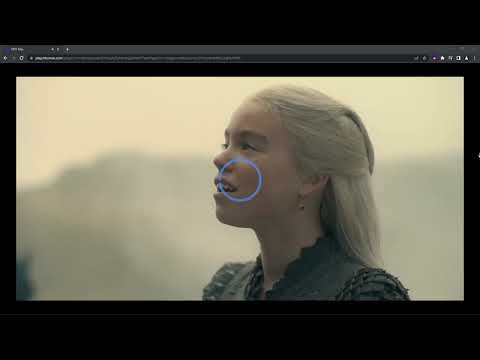
Extension to change video quality on HBO Max. Choose your preferred video resolution on HBO Max.
We've updated the extension to work after some changes on HBO Max website. Adjust HBO Max video quality to your needs and your internet connection. With this extension, you will never experience annoying buffering again! You can choose your preferred video resolution in a simple popup window and watch the content in one of the available options: ➡️ None ➡️ Low Definition ➡️ Standard Definition ➡️ High Definition ➡️ Full HD ➡️ QHD All you need to do is add the HBO Max HQ extension to your browser and enjoy your favorite series in preferred video quality. It's as simple as that! ⭐ How does it work? ⭐ Extension forces the video to reload in the chosen resolution. Please note that if you set higher quality than is available in HBO Max, the extension will automatically reload video for the best quality available. This extension is part of the Quality Viewership Initiative, a collaborative effort to enhance the understanding of audience engagement. It collects anonymous, aggregated viewing insights to support creators and studios in improving the quality of their content. You can stop sharing your information at any time by switching the toggle on the options page. Disclaimer: HBO is a trademark of Home Box Office, Inc. This website & extension hold no association or affiliation with HBO Max or any third-party companies.
5 点満点で 3.290 件の評価
詳細
- バージョン1.0.41
- 更新:2026年2月7日
- 提供元TheBestChromeExtensions
- サイズ163KiB
- 言語8 言語
- デベロッパーHideApp LLC
1021 East Lincolnway Cheyenne, WY 82001 USメール
disneypictureinpicture@gmail.com電話
+1 802-284-5301 - トレーダーデベロッパーは、欧州連合の定義に基づき、取引業者として申告し、EU の法律を遵守した商品やサービスのみを提供することを約束しています。
- D-U-N-S132615120
プライバシー

HBO Max HQ: change video quality [QVI] から、お客様のデータの収集と使用に関する以下の情報が開示されています。 詳しくは、デベロッパーの privacy policy をご確認ください。
HBO Max HQ: change video quality [QVI] は次を扱います。
このデベロッパーは、お客様のデータについて以下を宣言しています
- 承認されている以外の用途で第三者に販売しないこと
- アイテムの中心機能と関係のない目的で使用または転送しないこと
- 信用力を判断する目的または融資目的で使用または転送しないこと
サポート
質問や提案、問題がある場合は、パソコンのブラウザでこのページを開いてください