

Harvest Time Tracker

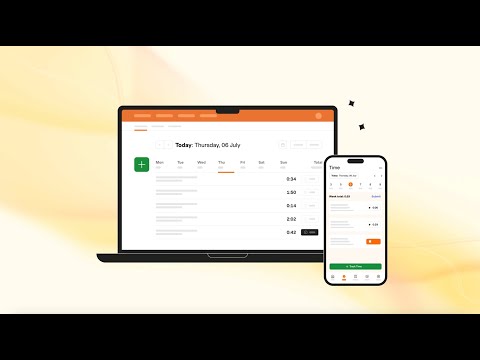
Descripción general
Track time from Chrome and within popular project management tools.
Harvest Overview Harvest helps over 70,000 companies thrive with simple time tracking, powerful insights and reporting, and tools to help you get paid faster. Easily track time from the desktop app, web, Asana, Basecamp, Trello, GitHub, or your mobile device. Drill down into visual reports to keep track of project budgets, and make smarter decisions for your business. Track time in Google Chrome™ Conveniently start and stop timers from your browser and get to work. Whether you're digging through emails or having an online meeting with your team, your timer is just a click away with Harvest for Chrome. Bring time tracking into popular web apps Enjoy an enhanced time tracking experience for today's most popular project management tools. When using Asana, Basecamp, ClickUp, or Trello in Chrome, you will see an option to start timers on any to-do items or cards. In GitHub and Jira, you can track time on issues or pull requests. It's as if time tracking is built right in. Gain insights into your projects Turn tracked time into insightful, customizable reports. Time-based reporting provides accurate project budget reports, staff reports, and more. You'll gain insights to help you make decisions and ensure your projects run smoothly. If you’re having difficulty seeing timers or tracking time to Harvest, please contact us at support@harvestapp.com.
3,0 de 5157 valoraciones
Detalles
- Versión4.1.32
- Actualizado25 de marzo de 2026
- Tamaño39.86KiB
- IdiomasEnglish
- DesarrolladorSitio web
Correo electrónico
support@harvestapp.com - No operadorEste desarrollador no se ha identificado como operador. Los consumidores residentes en la Unión Europea deben tener en cuenta que los derechos de los consumidores no son aplicables a los contratos que suscriban con este desarrollador.
Privacidad

Este desarrollador declara que tus datos:
- No se venden a terceros, excepto en los casos de uso aprobados
- No se usan ni se transfieren para fines no relacionados con la función principal del elemento.
- No se usan ni se transfieren para determinar la situación crediticia ni para ofrecer préstamos.
Ayuda
Si tienes alguna pregunta, sugerencia o problema, abre esta página en tu navegador para ordenadores