

HanziLens — Read any Chinese on screen
2 ratings
)
Overview
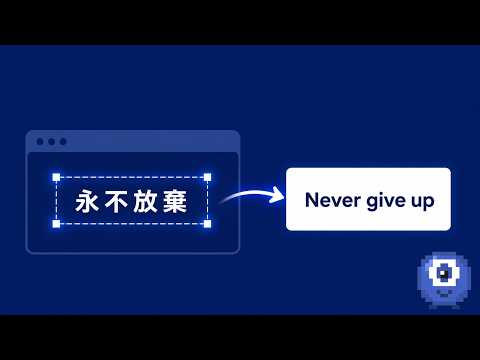
Snip Chinese text anywhere on screen — subtitles, manga, comics — and get instant meaning, pinyin, and character breakdowns.
Turn anything on your screen into a Chinese lesson. You're watching a Chinese show, reading a manhua, or scrolling a Chinese website — and a line you can't read goes by. Snip it with HanziLens and get an instant card explaining exactly what it says: — The meaning, in your language (30 languages supported) — Pinyin for the whole sentence — A word-by-word breakdown: each word's pinyin and meaning — Character-by-character detail, so you learn the building blocks, not just the translation — Listen to the sentence with one tap TWO WAYS TO CAPTURE 1. Snip this tab (Alt+Shift+S) — drag a rectangle over any webpage: YouTube subtitles, bilibili, web manga readers, articles. The card appears right on the page. 2. Capture a screen or app — share a screen or window, freeze the frame, and crop. This reaches desktop apps, video players, and other monitors — including many players where a normal tab snip shows a black frame. An honest note: some hardware-protected video (certain streaming apps with strict DRM) can still come back black even in screen capture. Most content works; we tell you clearly when it can't. NOT JUST A DICTIONARY — A STUDY LOOP Everything you snip can be saved to your library, and the companion web app turns it into real study: — Spaced-repetition flashcards built from your own captures — Cloze (fill-in-the-blank) review and listening practice — Stroke-order writing practice for every character — Practice quizzes generated from your saved words — A daily goal, streak, and stats heatmap to keep you going — Collections, tags, notes, and CSV/Anki export Words you chose, from shows you love, become the deck you review. That context is why it sticks. MEET LENZI The little pixel mascot in the corner blinks, watches your cursor, and celebrates your review streaks. Say hi. FREE TO USE 15 captures per day, free, resets daily. A Pro tier with unlimited captures and our most accurate AI model is coming soon. PRIVACY, PLAINLY The region you snip is sent to our service to be analyzed, then discarded — we only keep what you explicitly save. No browsing history is collected, and the extension only activates when you start a capture. Full policy: https://hanzilens.modiprompt.pro/privacy
3.5 out of 52 ratings
Details
- Version0.2.1
- UpdatedJuly 18, 2026
- Offered bymodiprompt
- Size244KiB
- LanguagesEnglish (United States)
- Developer
Email
hanzilens@gmail.com - Non-traderThis developer has not identified itself as a trader. For consumers in the European Union, please note that consumer rights do not apply to contracts between you and this developer.
Privacy

HanziLens — Read any Chinese on screen has disclosed the following information regarding the collection and usage of your data. More detailed information can be found in the developer's privacy policy.
HanziLens — Read any Chinese on screen handles the following:
This developer declares that your data is
- Not being sold to third parties, outside of the approved use cases
- Not being used or transferred for purposes that are unrelated to the item's core functionality
- Not being used or transferred to determine creditworthiness or for lending purposes
Support
For help with questions, suggestions, or problems, visit the developer's support site