

Hanzi Writer - Chinese Character Learning
1 个评分
)
概述
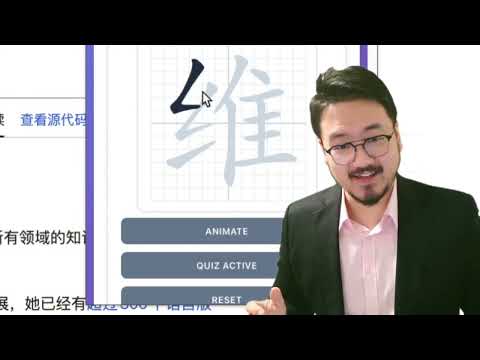
Interactive Chinese character learning tool with practice. Right-click on any text to practice writing Chinese characters!
Learn to write Chinese characters with proper stroke order using this interactive Chrome extension. Perfect for students, language learners, and anyone interested in mastering Chinese writing. ✨ KEY FEATURES: • Interactive Character Practice Master Chinese characters with proper stroke order. Practice writing characters by following the correct stroke sequence with real-time feedback. • Context Menu Integration Right-click on any selected text containing Chinese characters on any webpage to instantly practice them. No need to copy and paste! • Clipboard Support Quickly load characters directly from your clipboard. Just copy Chinese text and click "Load from Clipboard" to start practicing immediately. • Quiz Mode Test your knowledge with interactive quizzes. The extension tracks your mistakes and provides helpful hints after multiple attempts. • Stroke-by-Stroke Animation Watch beautiful animations that demonstrate the correct way to write each character. Perfect for visual learners! • Progress Tracking Monitor your learning progress with detailed statistics including total mistakes, characters completed, and current practice session. • Beautiful Grid Interface Practice on a traditional Chinese writing grid that helps you maintain proper character proportions and spacing. 🎯 HOW TO USE: Method 1 - Direct Input: 1. Click the extension icon in your Chrome toolbar 2. Enter Chinese characters or words in the input field 3. Click "Load Characters" to start practicing 4. Use "Animate" to see the correct stroke order 5. Click "Start Quiz" to test your writing skills Method 2 - Context Menu: 1. Select any text containing Chinese characters on any webpage 2. Right-click and choose "Practice with Hanzi Writer" 3. The extension popup will automatically open with your selected text loaded Method 3 - Clipboard: 1. Copy Chinese characters to your clipboard 2. Open the extension popup 3. Click "Load from Clipboard" button 💡 TIPS: - The extension works best with simplified Chinese characters - An internet connection is required to load character data - Use the grid background to maintain proper character proportions - Practice regularly to improve your stroke order accuracy 📚 PERFECT FOR: - Chinese language students - Calligraphy enthusiasts - Anyone learning to write Chinese characters - Teachers demonstrating proper stroke order The extension uses the hanzi-writer library to provide accurate stroke order data and beautiful character rendering. Start your journey to mastering Chinese character writing today!
5 星(5 星制)1 个评分
详情
- 版本1.0.1
- 上次更新日期2026年1月20日
- 提供方RippaX Labs
- 大小24.09MiB
- 语言English (United States)
- 开发者
邮箱
williamjiaminus@gmail.com - 非交易者该开发者尚未将自己标识为交易者。欧盟地区消费者须知:消费者权利可能不适用于您与该开发者达成的合约。
隐私权

“Hanzi Writer - Chinese Character Learning”已就收集和使用用户数据披露了以下信息。 如需了解详情,请查看开发者的privacy policy。
Hanzi Writer - Chinese Character Learning会处理以下数据:
该开发者已声明,您的数据:
- 不会因未获批准的用途出售给第三方
- 不会为实现与产品核心功能无关的目的而使用或转移
- 不会为确定信用度或放贷目的而使用或转移