

Hanzi Writer - Chinese Character Learning
1 件の評価
)
概要
Interactive Chinese character learning tool with practice. Right-click on any text to practice writing Chinese characters!
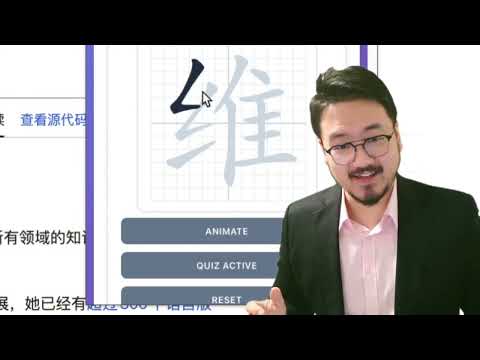
Learn to write Chinese characters with proper stroke order using this interactive Chrome extension. Perfect for students, language learners, and anyone interested in mastering Chinese writing. ✨ KEY FEATURES: • Interactive Character Practice Master Chinese characters with proper stroke order. Practice writing characters by following the correct stroke sequence with real-time feedback. • Context Menu Integration Right-click on any selected text containing Chinese characters on any webpage to instantly practice them. No need to copy and paste! • Clipboard Support Quickly load characters directly from your clipboard. Just copy Chinese text and click "Load from Clipboard" to start practicing immediately. • Quiz Mode Test your knowledge with interactive quizzes. The extension tracks your mistakes and provides helpful hints after multiple attempts. • Stroke-by-Stroke Animation Watch beautiful animations that demonstrate the correct way to write each character. Perfect for visual learners! • Progress Tracking Monitor your learning progress with detailed statistics including total mistakes, characters completed, and current practice session. • Beautiful Grid Interface Practice on a traditional Chinese writing grid that helps you maintain proper character proportions and spacing. 🎯 HOW TO USE: Method 1 - Direct Input: 1. Click the extension icon in your Chrome toolbar 2. Enter Chinese characters or words in the input field 3. Click "Load Characters" to start practicing 4. Use "Animate" to see the correct stroke order 5. Click "Start Quiz" to test your writing skills Method 2 - Context Menu: 1. Select any text containing Chinese characters on any webpage 2. Right-click and choose "Practice with Hanzi Writer" 3. The extension popup will automatically open with your selected text loaded Method 3 - Clipboard: 1. Copy Chinese characters to your clipboard 2. Open the extension popup 3. Click "Load from Clipboard" button 💡 TIPS: - The extension works best with simplified Chinese characters - An internet connection is required to load character data - Use the grid background to maintain proper character proportions - Practice regularly to improve your stroke order accuracy 📚 PERFECT FOR: - Chinese language students - Calligraphy enthusiasts - Anyone learning to write Chinese characters - Teachers demonstrating proper stroke order The extension uses the hanzi-writer library to provide accurate stroke order data and beautiful character rendering. Start your journey to mastering Chinese character writing today!
5 点満点で 51 件の評価
詳細
- バージョン1.0.1
- 更新:2026年1月20日
- 提供元RippaX Labs
- サイズ24.09MiB
- 言語English (United States)
- デベロッパー
メール
williamjiaminus@gmail.com - 非取引業者このデベロッパーは取引業者として申告していません。EU 加盟国の消費者とこのデベロッパーとの間に締結された契約には、消費者の権利が適用されません。
プライバシー

Hanzi Writer - Chinese Character Learning から、お客様のデータの収集と使用に関する以下の情報が開示されています。 詳しくは、デベロッパーの privacy policy をご確認ください。
Hanzi Writer - Chinese Character Learning は次を扱います。
このデベロッパーは、お客様のデータについて以下を宣言しています
- 承認されている以外の用途で第三者に販売しないこと
- アイテムの中心機能と関係のない目的で使用または転送しないこと
- 信用力を判断する目的または融資目的で使用または転送しないこと