

Hanzi Writer - Chinese Character Learning
3 ratings
)
Overview
Interactive Chinese character learning tool with practice. Right-click on any text to practice writing Chinese characters!
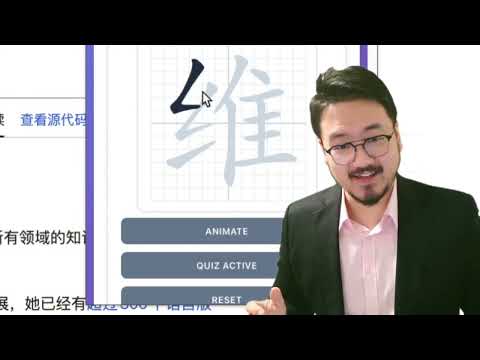
Learn to write Chinese characters with proper stroke order using this interactive Chrome extension. Perfect for students, language learners, and anyone interested in mastering Chinese writing. ✨ KEY FEATURES: • Interactive Character Practice Master Chinese characters with proper stroke order. Practice writing characters by following the correct stroke sequence with real-time feedback. • Context Menu Integration Right-click on any selected text containing Chinese characters on any webpage to instantly practice them. No need to copy and paste! • Clipboard Support Quickly load characters directly from your clipboard. Just copy Chinese text and click "Load from Clipboard" to start practicing immediately. • Quiz Mode Test your knowledge with interactive quizzes. The extension tracks your mistakes and provides helpful hints after multiple attempts. • Stroke-by-Stroke Animation Watch beautiful animations that demonstrate the correct way to write each character. Perfect for visual learners! • Progress Tracking Monitor your learning progress with detailed statistics including total mistakes, characters completed, and current practice session. • Beautiful Grid Interface Practice on a traditional Chinese writing grid that helps you maintain proper character proportions and spacing. 🎯 HOW TO USE: Method 1 - Direct Input: 1. Click the extension icon in your Chrome toolbar 2. Enter Chinese characters or words in the input field 3. Click "Load Characters" to start practicing 4. Use "Animate" to see the correct stroke order 5. Click "Start Quiz" to test your writing skills Method 2 - Context Menu: 1. Select any text containing Chinese characters on any webpage 2. Right-click and choose "Practice with Hanzi Writer" 3. The extension popup will automatically open with your selected text loaded Method 3 - Clipboard: 1. Copy Chinese characters to your clipboard 2. Open the extension popup 3. Click "Load from Clipboard" button 💡 TIPS: - The extension works best with simplified Chinese characters - An internet connection is required to load character data - Use the grid background to maintain proper character proportions - Practice regularly to improve your stroke order accuracy 📚 PERFECT FOR: - Chinese language students - Calligraphy enthusiasts - Anyone learning to write Chinese characters - Teachers demonstrating proper stroke order The extension uses the hanzi-writer library to provide accurate stroke order data and beautiful character rendering. Start your journey to mastering Chinese character writing today!
5 out of 53 ratings
Details
- Version1.0.1
- UpdatedJanuary 20, 2026
- Offered byRippaX Labs
- Size24.09MiB
- LanguagesEnglish (United States)
- Developer
Email
williamjiaminus@gmail.com - Non-traderThis developer has not identified itself as a trader. For consumers in the European Union, please note that consumer rights do not apply to contracts between you and this developer.
Privacy

Hanzi Writer - Chinese Character Learning has disclosed the following information regarding the collection and usage of your data. More detailed information can be found in the developer's privacy policy.
Hanzi Writer - Chinese Character Learning handles the following:
This developer declares that your data is
- Not being sold to third parties, outside of the approved use cases
- Not being used or transferred for purposes that are unrelated to the item's core functionality
- Not being used or transferred to determine creditworthiness or for lending purposes