

Hanzi Swap — Learn Chinese While You Browse

Overview
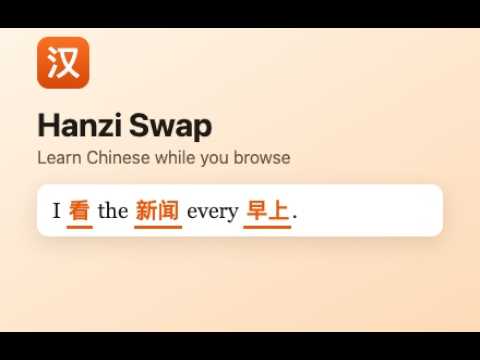
Learn Chinese while you browse: English words on any page become Chinese. Type them back to master them.
Learn Chinese without setting aside study time. Hanzi Swap turns English words on the pages you already read into Chinese. News, blogs, Wikipedia, recipes: a few words at a time, your everyday browsing becomes Chinese practice. HOW IT WORKS • Start with 8 everyday words. Each new word gets a short introduction card with its characters, pinyin, meaning, and pronunciation. • As you browse, those words appear in Chinese, highlighted in orange. • Click one and type the English. Get it right three times in a row and you've mastered it, and the next word unlocks. • Stuck? Tap “I don't know” to see the pinyin and meaning, then type it to switch the word back. SAVE ANY WORD YOU WANT TO LEARN Highlight a word on any page, right-click, and choose “Add to Hanzi Swap”. If it's in the built-in vocabulary it unlocks right away; if not, add your own Chinese, with a suggestion from Chrome's on-device translator. PRACTICE WHOLE SENTENCES Once you know enough words, Hanzi Swap finds sentences you can mostly read and writes them in “Chinglish”: your known words in Chinese, the rest in English. Translate the whole sentence back and see exactly which words you got right. REVIEW YOUR MISTAKES Flashcard review sessions bring back the words you've seen, starting with the ones you missed or didn't know. SMART ABOUT MEANING Hanzi Swap reads each sentence to pick the right word: “I watch TV” → 看, but “my new watch” → 手表. It knows common phrases too: “go home” → 回家, “next year” → 明年. WHAT'S INCLUDED • 2,200+ words and characters, from everyday basics to the most common Chinese characters, in frequency order • Word quizzes, “I don't know” hints, and mastery tracking • Introduction cards with pinyin and audio • Right-click to add your own words • Chinglish sentence practice • Review flashcards focused on your mistakes • Pause on any site, choose how many words to learn at once PRIVATE BY DESIGN Everything runs in your browser. Your progress is stored only on your device. No account, no tracking, no ads, and page text never leaves your computer.
0 out of 5No ratings
Details
- Version0.8.0
- UpdatedNovember 16, 2026
- Offered byhanziswap@geemichael.com
- Size241KiB
- LanguagesEnglish
- Developer
Email
hanziswap@geemichael.com - Non-traderThis developer has not identified itself as a trader. For consumers in the European Union, please note that consumer rights do not apply to contracts between you and this developer.
Privacy

This developer declares that your data is
- Not being sold to third parties, outside of the approved use cases
- Not being used or transferred for purposes that are unrelated to the item's core functionality
- Not being used or transferred to determine creditworthiness or for lending purposes
Support
For help with questions, suggestions, or problems, visit the developer's support site