


Overview
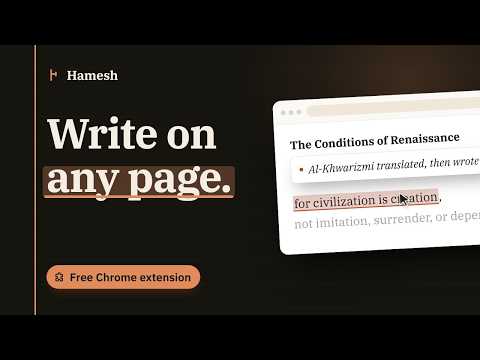
Leave a note exactly where it belongs on a web page, and find it there when you return. Share with your team, optionally.
Hamesh gives the web a margin. Books and manuscripts have always had margins: a quiet place where readers leave thoughts, questions, and connections. Hamesh brings that idea to the modern web. Instead of losing ideas in a separate notes app, attach them directly to the exact paragraph, heading, button, or line of code that inspired them — or to a specific moment in a video. When you come back, your note is waiting exactly where you left it. HOW IT WORKS 1. Activate Hamesh from the toolbar, or press Alt+H (Alt+V for a video). 2. Click any element on the page — or, for a video, just press the shortcut while watching. 3. Write your note. It saves instantly. 4. A small marker stays attached to that element, or shows up on the video's timeline. 5. Return days or weeks later, and your note appears back in context — a video note even seeks to the right moment automatically. YOUR NOTES, ORGANIZED As your collection grows, Hamesh automatically builds a Notes Library. - Browse notes grouped by website, or switch to Folders to organize them your own way, across any site. - Continue where you left off with recently active websites. - Search your notes instantly. - Pin, edit, delete, or file any note into a folder right from the Library — no need to reopen the original page. - Revisit ideas without remembering where you wrote them. WHO IT'S FOR - Designers and developers annotating a component, a design detail, or a line in the documentation. - Researchers marking exactly where an argument or a source lives. - Knowledge workers keeping the "why" next to the "what," across everything they read. - Students and lifelong learners leaving a trail of attention to return to. PRIVACY Everything stays on your device. Hamesh stores every note locally on your device using your browser's own extension storage. There is no account, no backend server, and no network requests of any kind — nothing is transmitted, analyzed, or shared. See our privacy policy for full details. CURRENT FEATURES - Context-aware notes attached to page elements, or to a moment in a video. - Automatic note restoration. - Notes Library with website grouping and custom Folders. - A quick menu to pin, edit, delete, or move any note straight from the Library. - Continue section for recent work, plus search and pinning. - Light and dark appearance options. - English and Arabic interfaces with RTL support. Hamesh is not a bookmarking tool, not a sticky-note app, and not a generic writing assistant — it is a quiet layer for thinking in context, exactly where that thought belongs.
5 out of 54 ratings
Details
- Version2.0.3
- UpdatedOctober 23, 2026
- FeaturesOffers in-app purchases
- Size321KiB
- LanguagesEnglish
- DeveloperWebsite
Email
mohammed.fandees@gmail.com - Non-traderThis developer has not identified itself as a trader. For consumers in the European Union, please note that consumer rights do not apply to contracts between you and this developer.
Privacy

Hamesh — هامش has disclosed the following information regarding the collection and usage of your data. More detailed information can be found in the developer's privacy policy.
Hamesh — هامش handles the following:
This developer declares that your data is
- Not being sold to third parties, outside of the approved use cases
- Not being used or transferred for purposes that are unrelated to the item's core functionality
- Not being used or transferred to determine creditworthiness or for lending purposes
Support
For help with questions, suggestions, or problems, please open this page on your desktop browser