


Overview
Understand contract risk, obligations, dates, and negotiation points before you agree.
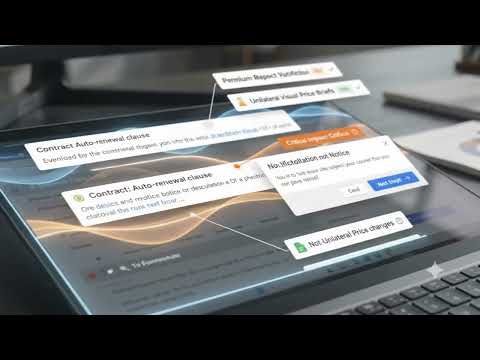
✨ CLARILAW LEGAL CONTRACT CLARIFIER ================================================================ Read contracts with source-linked findings, obligations and focused follow-up questions. BEST FOR: People preparing a first-pass review of commercial agreements. ⭐ TOP 10 FEATURES ---------------------------------------------------------------- 1. Analyze selected clauses. 2. Analyze readable page text. 3. Paste agreement text. 4. Import supported documents locally. 5. Review source-linked quotes. 6. Identify risks and obligations. 7. Surface dates and next steps. 8. Compare versions locally. 9. Ask contract-specific questions. 10. Keep drafts, reminders and exportable results. 🔄 EXAMPLE WORKFLOW ---------------------------------------------------------------- BEFORE: A renewal clause is buried in a long agreement. AFTER: Ask ClariLaw to surface the relevant wording and dates, then verify the quoted clause before deciding what to do. 💰 PRICING ---------------------------------------------------------------- A connected account includes 40,000 characters as a one-time lifetime allowance. Previous use counts toward that allowance. Pack | USD price | Included units -------- | --------- | -------------------- Starter | $2.00 | 80,000 characters Standard | $4.00 | 240,000 characters Pro | $8.00 | 720,000 characters Ultimate | $14.00 | 1,800,000 characters Packs are one-time purchases. Purchased units do not expire. Final tax and local currency are shown at checkout. 📌 WHAT TO KNOW ---------------------------------------------------------------- Requested AI analysis sends contract text to an online service. Findings support review and are not legal advice. ================================================================ DISCOVER CLARILAW LEGAL CONTRACT CLARIFIER ---------------------------------------------------------------- Whether you need to analyze selected clauses or analyze readable page text, ClariLaw Legal Contract Clarifier provides a focused workflow for people preparing a first-pass review of commercial agreements. Do agreement review. COMMON QUESTIONS ---------------------------------------------------------------- WHAT CAN I USE IT FOR? You can analyze selected clauses, import supported documents locally or review source-linked quotes. Contract clarifier Chrome and Firefox. HOW DO I GET STARTED? Open the extension from the browser toolbar, review its settings and choose your first action. Connect your account for metered actions. Browser-managed shortcuts can be configured to suit your setup.Contract analysis. SEARCH DESCRIPTION ---------------------------------------------------------------- Read contracts with source-linked findings, obligations and focused follow-up questions. Designed for people preparing a first-pass review of commercial agreements. Contract version.
0 out of 5No ratings
Details
- Version4.95
- UpdatedOctober 23, 2026
- Size1005KiB
- LanguagesEnglish
- DeveloperWebsite
Email
chrome_dev_team@tutivsoft.com - Non-traderThis developer has not identified itself as a trader. For consumers in the European Union, please note that consumer rights do not apply to contracts between you and this developer.
Privacy

This developer declares that your data is
- Not being sold to third parties, outside of the approved use cases
- Not being used or transferred for purposes that are unrelated to the item's core functionality
- Not being used or transferred to determine creditworthiness or for lending purposes
Support
For help with questions, suggestions, or problems, visit the developer's support site