


概述
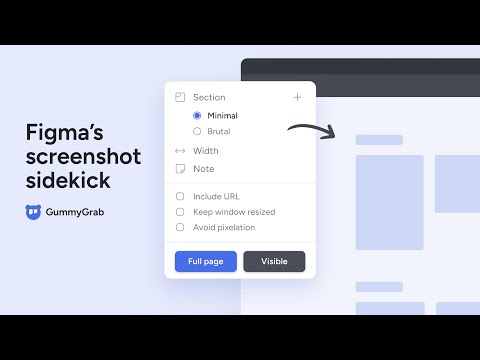
Figma’s screenshot sidekick. Capture screenshots in Chrome and bring them into Figma without pushing a single pixel.
You can: • Take screenshots at any breakpoint size. • Bring full page shots into Figma without downsizing and pixelation issues. • Organize them into boards with notes and URLs. How it Works 1. Capture from the Chrome Extension. 2. Drop your files into Figma. 3. Select files and run the GummyGrab Figma plugin. Link to install the GummyGrab Figma plugin: https://www.figma.com/community/plugin/1268974573188158702/gummygrab-beta Great for: Ad hoc screenshots • Product audits • Competitor evaluations • Expert reviews • Mood boards • QA reviews • Marketing mockups • Portfolio displays • Help center shots While in beta, everything is free! 🧸 A paid version is on its way – consider it my peace offering to my lovely wife for all the time GummyGrab stole from our post-toddler bedtime hours. And don't worry, GummyGrab will always offer a free version. Features: Chrome extension — • Size shots • Create boards • Add notes • Save URLs • Avoid pixelation • Keyboard accessible Figma plugin — • Resizes shots from 2x → 1x • Arranges shots • Attaches notes and URLs • Stitches split shots Link to install the GummyGrab Figma plugin: https://www.figma.com/community/plugin/1268974573188158702/gummygrab-beta Why GummyGrab? • Way less clicks and maybe… a little less wrist pain 😉. • Super fast, local processing – no delayed imports. • No manual adjustments or time consuming sorts. • Keeps references alongside the designs they inspire, no extra tools needed. FAQ’s 1. Are there keyboard shortcuts? Chrome extension: • Open the extension using Ctrl + 9 (Mac) or Ctrl+Shift+9 (Windows). • Use tab, up/down, and enter keys to navigate the extension. Figma plugin: • Run the plugin with an App shortcut. For the Mac desktop app, set it up by navigating to: System Settings > Keyboard > Keyboard Shortcuts > App Shortcuts > Plus icon > Select Figma for Application > Input the following into Menu Title: Plugins->GummyGrab (beta) > Assign shortcut keys. 2. Why does GummyGrab use local file downloads? • Speed: Fast integration into Figma, as it cuts out server imports. • Convenience: You don’t need to operate another UI in Figma, just simply run the plug-in. • Cost-effective: No extra charges for you due to server storage. 3. What are the available breakpoint sizes? • Set custom widths from 320px to 3024px. Wider sizes can vary based on the size of your computer screen. • Alternatively, capture at your browser's current width without setting a size. 4. What does the “Avoid pixelation” feature do? • It splits long screenshots into smaller ones to prevent them from being downsized by Figma. The Figma plugin automatically stitches the shots back together, resulting in high-quality images. Note that wider widths of 2048px and over may still experience some pixelation. 5. How do I get the best from GummyGrab? • For wider screenshots, keep your browser window to the left side of your screen. • When capturing screens of 500px to 768px wide, try to have fewer tabs open. 6. Why does the extension ask me to reload the page after installation? • Full page and mobile-sized shots require URLs to be loaded after extension installation or updates. If they we're loaded before installation, then they will need to be reloaded so that the extension can read the URL's. 7. Does GummyGrab store user data? • GummyGrab processes all data locally and doesn't collect, store, or sell any user data. 8. Why does the GummyGrab Chrome Extension request permissions during installation?** • GummyGrab requires access to your downloads to transfer files to your computer. It also needs access to your URLs to capture mobile-sized screenshots. Rest assured, it only uses these permissions for your screenshots - no 🧢. Get started, by installing the Chrome extension and running the GummyGrab Figma Plugin: https://www.figma.com/community/plugin/1268974573188158702/gummygrab-beta
5 星(5 星制)3 个评分
详情
- 版本1.2
- 上次更新日期2024年3月30日
- 提供方pce.gummygrab
- 大小82.12KiB
- 语言English
- 开发者GummyGrab
3479 Shadblow Rd San Bernardino, CA 92407-8939 US邮箱
gummygrab@gmail.com - 非交易者该开发者尚未将自己标识为交易者。欧盟地区消费者须知:消费者权利可能不适用于您与该开发者达成的合约。
隐私权

该开发者已声明,您的数据:
- 不会因未获批准的用途出售给第三方
- 不会为实现与产品核心功能无关的目的而使用或转移
- 不会为确定信用度或放贷目的而使用或转移
支持
若有任何疑问、建议或问题,请访问开发者的支持网站