


概述
Copy your Tags, Triggers and Variables and Paste them into any other account
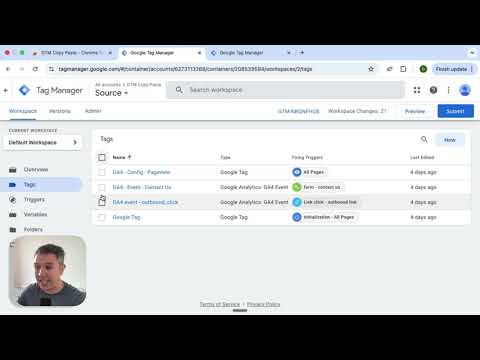
Easily Copy and Paste your Tags, Triggers, and Variables from one Google Tag Manager account to the next. Simply add them to the extension and then paste them into your intended account. Your items will be uploaded through the GTM API. You can put together your own menu of Tags, Triggers and Variables that you want to copy to another account. No more Container exports and reimports through the GTM Admin interface. Notes: - The relationship between Tags and Triggers will remain intact as long as they are part of the same "paste". - If an asset (Tag, Trigger or Variables) under the same name already exists, the extension will upload the asset with "(#)" attached to the end of the name. Updates: - Completely re-written the extension (March 2025): - newly improved "copy" experience - new UI for the clipboard - dependency check feature to add all dependancy to the clipboard - the oauth scope now ask for less permissions - now supports templates, tag sequencing, built-in variables and dependency rewrites Known issues: - If you edit an item right before you copy it to the clipboard, it might not have the changes in the paste. That’s because the extension is working with a cached version of the container. - If you copy a tag connected to a template, the upload might fail because it can’t find the reference - If you delete a dependant item from the clipboard, the upload might fail as it doesn’t have the right items to connect back while pasting
3.7 星(5 星制)59 个评分
详情
隐私权

该开发者已声明,您的数据:
- 不会因未获批准的用途出售给第三方
- 不会为实现与产品核心功能无关的目的而使用或转移
- 不会为确定信用度或放贷目的而使用或转移
支持
若有任何疑问、建议或问题,请在桌面浏览器中打开此页面