

Group Posting: AI Group Auto Poster, Scheduler & Lead Radar for Facebook™

Overview
Facebook™ group auto poster and scheduler. Post from your own browser as your profile or Page, draft with AI and find buyers.
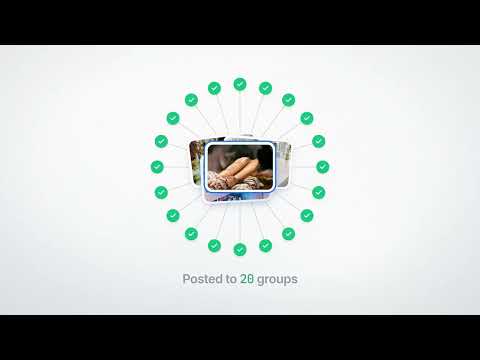
Group Posting Pro helps you post to the Facebook groups you have already joined from your own Chrome browser. Write a post once, choose your groups, and the extension publishes it to each group in turn, now or on a schedule, at a pace you control. You see the result of every post in one place. Start with the Lite plan, or choose Plus, Pro or an Agency plan for more features. 🚀 HOW IT WORKS - Open Facebook in Chrome and sign in to your account. - Choose who you post as (your profile or a Page you manage) and organise the groups you belong to. - Write a post, pick a saved template or prepare an AI-assisted draft. - Review your audience and content, then publish now or use a scheduling feature your plan includes. - Check Activity for results and post links. - Publishing happens in your own signed-in browser. Your computer must stay awake and connected, with Chrome running, for posting, schedules and monitoring to work. ✨ WHAT YOU CAN DO 📣 POST TO SEVERAL GROUPS FROM ONE COMPOSER Prepare text, links, photos or videos once and publish to the groups you select, one group after another. Supported formats depend on Facebook's composer, your posting identity and each group's permissions. 👤 POST AS YOUR PROFILE OR AS A PAGE Choose your personal profile or a Page you manage. A Page can post only in groups that allow Pages, and the identity you pick must have permission to post there. Each identity keeps its own groups, settings and history. 🔁 SHARE EXISTING POSTS Share supported posts from your feed or groups with the "Share to groups" control, where available. 🗂️ SAVED POSTS, COLLECTIONS AND HISTORY Save posts, group your Facebook groups into collections, reuse your content, filter Activity by identity and export results. 📅 SCHEDULES AND CAMPAIGNS Plus includes simple schedules: one-time, daily or weekly. Pro adds monthly schedules and campaigns with post, wait and repeat steps, plus a preview of the next seven days before a campaign starts. Rotate saved templates and set recurring intervals for ongoing content. 🎨 COLOURFUL IMAGE CARDS Turn a message into a ready-to-post graphic with 12 layouts, colour palettes and sizes, then add your logo, call to action or contact details. Cards are rendered on your device. Lite and Plus cards carry Group Posting branding; Pro and Agency plans offer cards without it. ✍️ AI WRITING AND VARIATIONS Milo, the AI writer and planner, drafts posts, improves wording and creates alternative versions using your business context and writing voice. You review every suggestion before it is used. You can also write your own alternatives with spintax and rotate different wording across a run. AI features have plan-based allowances, and generated content should be checked for accuracy. 🎯 LEAD RADAR Pick the groups and keywords you care about. Pro checks up to 25 groups, with scan intervals from 15 minutes while your browser is running. Review the matches and ask for an AI reply draft. Matches arrive on a later check, not instantly, and some posts may be missed. Optional automatic replies stay off until you switch them on, apply only to posts from people asking for something, are limited each day, and can be switched off at any time. 🔎 GROUP DISCOVERY Search for relevant groups on eligible paid plans and optionally send paced join requests within the extension's limits. A join request does not guarantee admission or permission to post. 🛡️ POSTING CONTROLS Spaced-out posting, optional warm-up, night pauses, duplicate-post checks and Stop controls help you keep a steady pace. If you stop a run and post again, groups that already received the post are skipped. If Facebook limits posting on your account, the extension pauses for a short cooldown. Activity separates confirmed publication from pending approval, errors and results that could not be confirmed. 🏢 AGENCY PLANS: CLIENT POSTING FROM ONE DASHBOARD Agency Starter supports up to 10 clients and Agency Scale up to 25. Create schedules, reusable content and campaigns in the agency dashboard. Each client installs the extension, confirms the connection in their own browser and keeps their own Facebook login. The dashboard sends approved work to the client's browser, which performs the posting, and you can review connection status and results. Clients can disconnect at any time. Managed agency posts currently support text and images; video is not supported in the dashboard. The dashboard and client extension carry Group Posting branding. Agency details: https://groupposting.com/for/agencies/?utm_source=chromestore&utm_medium=listing&utm_campaign=listing-kit-oct26 ❓ QUESTIONS PEOPLE ASK Can I post to multiple Facebook groups from one place? Yes. Choose the groups you have joined, write the post once and the extension posts to them one by one from your own browser. Can I schedule posts to Facebook groups? Yes, with the scheduling features included in your plan. Plus covers one-time, daily and weekly schedules. The browser must be open when a schedule is due. Can I post as a Page? Yes, where the group allows Pages and your Page has the necessary membership and posting permissions. Does it need my Facebook password? No. The extension uses your existing signed-in session on your own computer. Your Facebook session cookies and request tokens are used to talk to Facebook and are not sent to Group Posting's servers or to your agency. Does it keep posting when my computer is off? No. Posting, schedules and monitoring need an available browser and an active Facebook session. Check the run results before restarting interrupted work. What happens if I stop a run and post again? Groups that already received the post, or may have received it, are skipped. Only the groups the stopped run did not reach are posted to. Will every post appear straight away? No. Group rules, admin approval, account restrictions and Facebook's own checks decide whether and when a post appears. The extension cannot bypass moderation or promise publication. Does the AI publish on its own? Writing tools prepare drafts for you to review. Schedules and campaigns publish work you have set up. Lead Radar sends automatic replies only when you enable that feature and its requirements are met. Does an agency need my password? No. You authorise the connection in your extension, and your own browser does the posting. The agency never receives your Facebook password or session cookies. Can I use it without paying? Yes. The Lite plan includes a daily posting allowance and needs no payment card. Paid plans add posting, scheduling, writing, monitoring or client-management features. Which devices does it support? Desktop Chrome on Windows, macOS, Linux and ChromeOS. The interface is available in 12 languages. There is no mobile app. 💳 PLANS AND PRICING Lite needs no payment card; its standard allowance is five group-posts per day, where one post to one group counts as one. Plus removes that daily limit and adds simple schedules. Pro adds ongoing AI writing, campaigns, Lead Radar and cloud backup. Agency plans add the client dashboard. You can upgrade from inside the extension. Facebook's limits and group rules apply on every plan. Current pricing: https://groupposting.com/pricing/?utm_source=chromestore&utm_medium=listing&utm_campaign=listing-kit-oct26 Payments are handled by Lemon Squeezy. Subscriptions renew until cancelled. Billing, cancellation and refund conditions are shown at checkout and in our Terms. 🔒 PRIVACY AND SECURITY No Facebook password is needed. Your working data is mainly stored in your browser, with these service features: • AI requests send the text and the business, writing and group context needed for the selected feature to our service and AI provider. • Eligible individual Pro licences include an automatic daily cloud backup that uploads extension data so you can restore it. • Connecting to an agency shares what the consent screen explains, such as group collections, profile or Page details, connection health and results of agency-managed work. Your Lead Radar matches stay private to you. • Licence checks and limited usage and reliability diagnostics use service requests. Optional product diagnostics are on by default and can be turned off in settings. We do not sell your extension data. Privacy policy: https://groupposting.com/privacy/ Security information: https://groupposting.com/security/ 🤝 RESPONSIBLE USE Use the extension only with accounts and Pages you are authorised to manage. Follow Facebook's terms, each group's rules and applicable laws. The extension does not bypass account restrictions and cannot guarantee that posts avoid spam filtering or that an account will not be restricted. 💬 SUPPORT Support: hello@groupposting.com Help centre: https://groupposting.com/help/ Terms, cancellation and refunds: https://groupposting.com/terms/ ℹ️ INDEPENDENT PRODUCT Group Posting Pro is an independent productivity tool. It is not affiliated with, endorsed by or sponsored by Meta Platforms, Inc. Facebook is a trademark of Meta Platforms, Inc.
4.2 out of 5137 ratings
Details
- Version20.26.11.3
- UpdatedNovember 7, 2026
- FeaturesOffers in-app purchases
- Size5.71MiB
- Languages11 languages
- DeveloperWebsite
Email
hello@groupposting.com - Non-traderThis developer has not identified itself as a trader. For consumers in the European Union, please note that consumer rights do not apply to contracts between you and this developer.
Privacy

Group Posting: AI Group Auto Poster, Scheduler & Lead Radar for Facebook™ has disclosed the following information regarding the collection and usage of your data. More detailed information can be found in the developer's privacy policy.
Group Posting: AI Group Auto Poster, Scheduler & Lead Radar for Facebook™ handles the following:
This developer declares that your data is
- Not being sold to third parties, outside of the approved use cases
- Not being used or transferred for purposes that are unrelated to the item's core functionality
- Not being used or transferred to determine creditworthiness or for lending purposes
Support
For help with questions, suggestions, or problems, please open this page on your desktop browser