

Group Posting PRO: AI Auto Poster | Scheduler | Lead Radar for Facebook™

Overview
Facebook™ group auto poster and scheduler. Post from your own browser as your profile or Page. Boost engagement with AI variations.
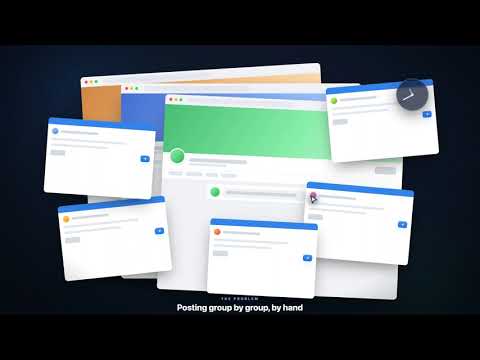
Group Posting PRO — the Facebook group auto poster, scheduler & Lead Radar that keeps your posting natural. Stop copy-pasting the same post into dozens of groups by hand. Group Posting PRO lets you write once, generate genuinely unique variations with AI, and publish to the Facebook groups you belong to on a smart schedule at a human-like pace — all from your Chrome browser. It even watches your groups for people asking to buy, so you can reply first. Unlike basic auto-share tools, it's a complete suite: a bulk poster, a visual campaign builder, an AI writing assistant, an audience CRM, and a group monitor — built to help you post responsibly, not to cut corners. 🚀 GET STARTED IN MINUTES Runs directly in your Chrome browser — no password to hand over, no desktop app, no technical setup. Add it, open Facebook, and post to your first groups in about 90 seconds. ✨ AI CONTENT & LEAD FEATURES 🎯 Lead Radar & AI Replies (group monitor) Don't just post — listen. Monitor your groups for the phrases your buyers use ("looking for a realtor," "need software for…") and get a desktop notification the moment someone matches. Open your inbox, click "Draft Reply," and let the AI write a helpful, personalized response you review before sending. 💼 AI Business Persona Teach the AI your role, niche, offer, and tone once. It then writes posts and replies that sound like you — an expert in your field — instead of a generic template. 🌪️ 1-Click AI Variations Facebook can flag identical text pasted across many groups. Tick "Auto-Generate AI Variations" and the engine writes several genuinely different versions of your post, rotating them as it publishes — so every group sees fresh, unique content instead of a duplicate. 🧠 AI Synonyms & Auto-Fill Highlight a word for instant, context-aware synonyms, or clone a great post's formatting, emojis, and links into new variations with one click. ✅ CORE PUBLISHING TOOLS 📢 Bulk group poster Select your groups and publish your text, links, images, or video to many communities at once — no more opening each group in its own tab. 🗓️ Facebook group scheduler Plan days, weeks, or months ahead with one-time, daily, weekly, or custom schedules. Keep your communities engaged on autopilot. 🛡️ Organic Safety Engine (human-like pacing) Posting responsibly matters. The engine spaces your posts with randomized, human-like delays and eases off as volume rises, so your activity stays natural and within sensible limits. No tool can guarantee an account is never restricted — you're always responsible for each group's rules and Facebook's terms — but a natural pace and unique content are your best habits. ⚙️ Visual campaign builder Design "if/then" sequences: post → wait 48 hours → post a follow-up → loop. Run set-and-forget campaigns that nurture a community over weeks. 🎨 Colored-background posts & first comments Use Facebook's native colored backgrounds for short posts, and automatically drop your link in the first comment to keep the post clean. 📂 Audience CRM, group collections & cloud sync Organize groups into targeted lists ("Real estate buyers," "B2B SaaS," "Local buy/sell"), and back up your templates, campaigns, and lists with optional cloud sync. 📌 WHO IT'S FOR • Real estate agents — publish listings to local community groups • Affiliate marketers & dropshippers — share offers across niche groups with fresh, unique posts • SaaS founders — spot people asking for solutions and reply with genuine help • Recruiters — post openings to professional groups on a recurring schedule • Agencies — manage multiple client profiles and review results in your posting history ❓ FREQUENTLY ASKED QUESTIONS Q: How do I post to multiple Facebook groups at once? A: Group Posting PRO runs in your Chrome browser, lets you pick your groups, and publishes to them one by one at a human-like pace with unique AI variations — so you reach many groups without pasting by hand. Q: Do I have to give you my Facebook password? A: No. The extension works with the Facebook session you're already logged into in Chrome. It never asks for or stores your password, and nothing posts from a remote server. Q: How does it help me avoid duplicate-content flags? A: With built-in spintax and 1-click AI variations, it writes a unique version of your post for every group, so your content stays fresh instead of identical. Q: Is there a free version? A: Yes — a free plan lets you try the core posting features with no credit card. Upgrade any time for Lead Radar, AI personas, and unlimited posting. Q: Which groups can I post to? A: Any group where you're a member with permission to post. You use your own account and your own group memberships. 🔒 PRIVACY & DATA • Local-first: your group lists, schedules, and templates stay in your browser. • We never ask for or store your Facebook login. • We don't sell your data. 📧 SUPPORT — hello@groupposting.com · https://groupposting.com/help ⚠️ Group Posting PRO is an independent productivity tool. It is not affiliated with, endorsed by, or sponsored by Meta Platforms, Inc. Facebook is a trademark of Meta Platforms, Inc.
4.4 out of 5131 ratings
Details
- Version2.8.2
- UpdatedAugust 17, 2026
- FeaturesOffers in-app purchases
- Size2.33MiB
- Languages11 languages
- DeveloperWebsite
Email
bodoandras4@gmail.com - Non-traderThis developer has not identified itself as a trader. For consumers in the European Union, please note that consumer rights do not apply to contracts between you and this developer.
Privacy

Group Posting PRO: AI Auto Poster | Scheduler | Lead Radar for Facebook™ has disclosed the following information regarding the collection and usage of your data. More detailed information can be found in the developer's privacy policy.
Group Posting PRO: AI Auto Poster | Scheduler | Lead Radar for Facebook™ handles the following:
This developer declares that your data is
- Not being sold to third parties, outside of the approved use cases
- Not being used or transferred for purposes that are unrelated to the item's core functionality
- Not being used or transferred to determine creditworthiness or for lending purposes