

Grok Imagine Prompt Manager
3 ratings
)

Overview
Save, organize, and reuse custom prompts in Grok Imagine with drag-and-drop, edit, and dark mode support.
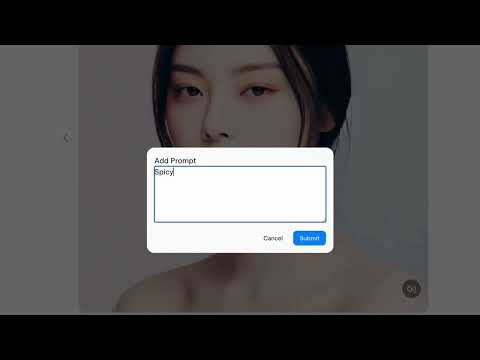
Grok Imagine Prompt Manager helps you work faster and more efficiently by managing reusable prompts directly inside Grok Imagine. Instead of rewriting the same prompts again and again, you can save, organize, and insert them with a single click. ✨ Key Features ➕ Add & Save Prompts Create and store multiple prompts for future use. 🖱 One-Click Insert Click any prompt to instantly insert it into the Grok Imagine input. 🔁 Append or Replace Mode Choose whether a prompt is appended to existing text or replaces it entirely. ✏️ Edit Prompts (Double Click) Quickly update saved prompts without deleting and re-adding them. 🗂 Drag & Drop Reordering Organize your prompts in the order you prefer. 🗑 Easy Deletion Delete prompts using a clear delete button — no confusing keyboard shortcuts required. 🌙 Automatic Dark Mode Seamlessly adapts to your system’s light or dark theme. 💾 Persistent Storage Prompts are saved locally and remain available after refreshing the page. 📦 Import / Export (.json) Backup, restore, or share your prompt collections easily.
3.7 out of 53 ratings
Details
- Version1.0.4
- UpdatedFebruary 27, 2026
- Offered bySupasan Suklim
- Size19.36KiB
- LanguagesEnglish
- Developer
Email
supasan.game@gmail.com - Non-traderThis developer has not identified itself as a trader. For consumers in the European Union, please note that consumer rights do not apply to contracts between you and this developer.
Privacy

This developer declares that your data is
- Not being sold to third parties, outside of the approved use cases
- Not being used or transferred for purposes that are unrelated to the item's core functionality
- Not being used or transferred to determine creditworthiness or for lending purposes