

Grok Exporter - PDF & Word

Overview
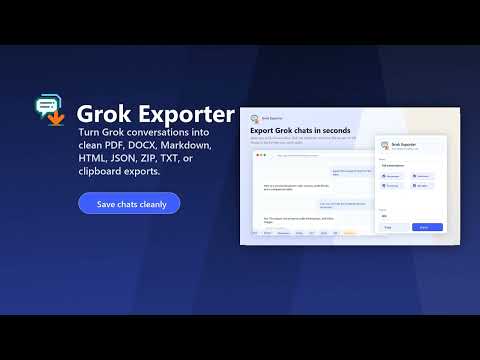
Export Grok chats to polished PDF and editable Word documents while preserving code, tables, images and formatting locally.
Grok Exporter saves Grok conversations as clean local files, so useful research, code explanations, drafts, and working notes do not remain trapped in a browser tab. Open a Grok conversation, choose the part you need, then export a readable file without copy-paste cleanup. If an export cannot finish, the extension explains the next step and can open a privacy-safe support report without including your chat text or link. EXPORT THE PART THAT MATTERS Save the latest answer, a short full thread, or a precise Pro message range, or tick exactly the messages you want with an on-page checkbox checklist. Export several conversations together as one editable Word document or a ZIP with one Markdown file per chat. Use PDF or Word for sharing, Markdown or HTML for notes and documentation, plain text for lightweight archives, and JSON or ZIP for structured records. KEEP DIFFICULT CONTENT READABLE Exports retain role structure, code blocks, tables, lists, timestamps when selected, and supported inline images. PDF exports offer page size, orientation, margins, cover pages, headers, footers, and a table of contents. Word output is editable and keeps document structure intact. FREE AND PRO Free includes single-conversation PDF, Word, text, and clipboard exports; full conversations up to 40 messages; selected-message exports up to 12 messages; and one successful batch trial with up to three conversations. Full-conversation Free exports include a watermark. Pro unlocks long conversations, larger selected-message sets, Markdown, HTML, JSON, and ZIP formats, custom message ranges, batches of up to ten conversations, and watermark-free exports. When checkout starts from the extension, Pro can activate automatically in that browser; email restore remains available for another device. PRIVATE BY DESIGN The extension runs only on Grok conversation pages at grok.com and the Grok route on x.com. Conversation exports are processed locally. No Grok conversation content is sent to the licensing service. Images are fetched only when you choose an export that embeds them. Settings stay in your browser. Anonymous analytics are off by default and can be enabled in Settings. Analytics never include conversation content, titles, URLs, prompts, filenames, exported files, or email addresses. You can export safe local data or clear all extension data in Settings.
0 out of 5No ratings
Details
- Version1.3.3
- UpdatedSeptember 18, 2026
- FeaturesOffers in-app purchases
- Offered byAnh Bui Dev
- Size564KiB
- Languages8 languages
- Developer
Email
btanh82@gmail.com - Non-traderThis developer has not identified itself as a trader. For consumers in the European Union, please note that consumer rights do not apply to contracts between you and this developer.
Privacy

Grok Exporter - PDF & Word has disclosed the following information regarding the collection and usage of your data. More detailed information can be found in the developer's privacy policy.
Grok Exporter - PDF & Word handles the following:
This developer declares that your data is
- Not being sold to third parties, outside of the approved use cases
- Not being used or transferred for purposes that are unrelated to the item's core functionality
- Not being used or transferred to determine creditworthiness or for lending purposes
Support
For help with questions, suggestions, or problems, visit the developer's support site