

Grok Imagine Automation — Batch AI Image & Video Generator

Overview
Automate Grok Imagine to batch-generate AI images and videos, then auto-download every result hands-free.
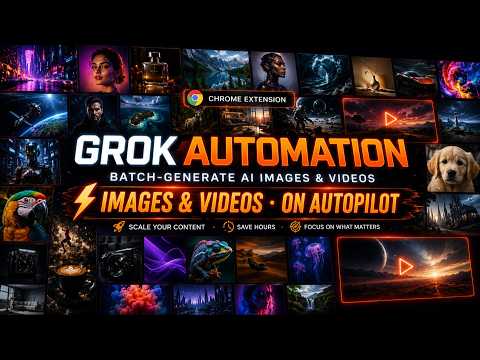
Grok Automation is the Auto Grok tool that takes everything you'd normally do by hand on xAI's grok.com — typing prompts, waiting for generations, clicking upscale, saving files — and hands it off to your browser. You stop being the operator. Grok becomes the worker. Whether you're producing a hundred AI videos for a campaign, batching out images for an article, or just tired of clicking "Generate" all day, Grok Automation runs the whole pipeline on autopilot from inside Chrome. ──────────────────────────── 🔥 What Grok Automation does ──────────────────────────── • Auto-runs Grok prompts back-to-back, with zero human input • Mass-produces AI videos and images from a single prompt list • Auto-upscales every result the moment it's ready • Auto-downloads files into clean, project-based folders • Keeps long queues safe with built-in smart pacing — no rate-limit headaches The promise is simple: paste in your prompts, hit Start, walk away. ──────────────────────────── 🚀 Key Features ──────────────────────────── 🤖 Auto Grok Batch Processing Load 10, 100, or 500 prompts — the extension takes it from there: • Submits each prompt to Grok in order • Waits for the generation to actually finish (not just "sent") • Moves on to the next prompt automatically • Recovers gracefully if a single run stalls No babysitting. No tab-watching. No "did it finish yet?". 🎬 Auto Text-to-Video Generation Turn a list of text prompts into a stack of finished videos overnight. • Each prompt becomes its own generated clip • Concat mode chains multiple prompts into one longer, continuous video sequence — perfect for narrative shorts, storyboards, or multi-scene reels • Works on top of Grok's native video model — no extra accounts, no separate API 🖼️ Auto Text-to-Image Batching Run dozens or hundreds of image prompts in one go. • Supported aspect ratios: 16:9, 9:16, 1:1, 2:3, 3:2 • Mix portrait, landscape, and square jobs in the same queue • Ideal for thumbnails, ad creatives, product mockups, and social variants ⚙️ Professional Automation Controls Built so you can leave it running for hours without surprises: • Smart Delay System — adaptive pauses between prompts to stay well under Grok's rate limits • Auto-Upscale on completion, so every output ships at full resolution • Auto-Download triggers the moment a result is finalized • Failure-tolerant queue: one bad prompt doesn't kill the whole batch 📊 Real-time Queue Monitoring A full mission-control view from the Chrome Side Panel: • Visual progress bar for the entire batch • Live, per-prompt status (queued · generating · upscaling · downloaded · failed) • Glance at it once, know exactly where the run is at 📂 Auto File Organization No more 200 files dumped into your Downloads folder. • Outputs are auto-sorted into project-based folders • Filenames stay consistent and traceable back to the prompt • Find any asset days later without digging 🌐 Multi-language Support Native UI in 6 languages — pick the one that fits your team: English · Tiếng Việt · 中文 · 한국어 · 日本語 · Español ──────────────────────────── 🧠 Why it exists ──────────────────────────── Grok is powerful, but using it at scale is painful. If you've ever: • Sat in front of grok.com for an hour clicking "Generate" • Lost track of which prompt produced which file • Forgotten to upscale a finished video before walking away • Hit a rate limit halfway through a batch • Wished Grok had a real queue, not a single chat thread …then Grok Automation is the missing layer between you and Grok. It's not a wrapper. It's not an API tool. It runs right inside the Grok web app, using your own session — so everything stays inside the product you already pay for. ──────────────────────────── 🛠️ How it works (in 60 seconds) ──────────────────────────── 1. Install Grok Automation and open grok.com. 2. Open the Side Panel — your control room. 3. Paste in a list of prompts (or load a saved batch). 4. Pick a mode: Text-to-Video, Text-to-Image, or mixed. 5. Hit Start. Walk away. When you come back, your downloads folder is already sorted, every result is upscaled, and the queue tells you exactly what ran and when. ──────────────────────────── ✅ Perfect for ──────────────────────────── • Content creators producing daily videos or images • AI filmmakers and short-form video producers running multi-scene shoots • Marketers generating ad creatives at variant scale • Designers iterating on visual concepts overnight • Automation, productivity, and power-user crowds • Anyone who wants to Auto Grok at scale — without sitting in front of the screen ──────────────────────────── Get started ──────────────────────────── Pin Grok Automation to your toolbar, open grok.com, click the Side Panel — and let Grok run itself.
3 out of 52 ratings
Details
- Version0.1.32
- UpdatedSeptember 26, 2026
- FeaturesOffers in-app purchases
- Size1.43MiB
- Languages55 languages
- DeveloperWebsite
Email
amzbase@gmail.com - Non-traderThis developer has not identified itself as a trader. For consumers in the European Union, please note that consumer rights do not apply to contracts between you and this developer.
Privacy

Grok Imagine Automation — Batch AI Image & Video Generator has disclosed the following information regarding the collection and usage of your data. More detailed information can be found in the developer's privacy policy.
Grok Imagine Automation — Batch AI Image & Video Generator handles the following:
This developer declares that your data is
- Not being sold to third parties, outside of the approved use cases
- Not being used or transferred for purposes that are unrelated to the item's core functionality
- Not being used or transferred to determine creditworthiness or for lending purposes
Support
For help with questions, suggestions, or problems, please open this page on your desktop browser