

GreenTerp for Simultaneous Interpretation
1 個評分
)
總覽
Seamless Simultaneous Interpretation Delivery for any browser-based meetings, events or live streams, powered by Green Terp.
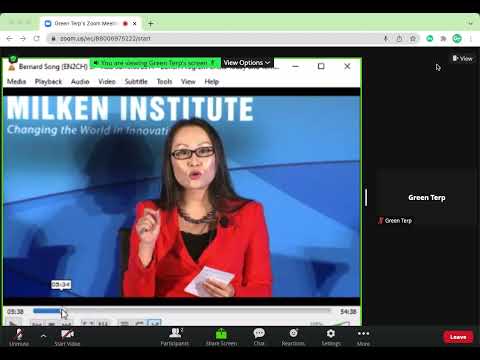
Seamless Simultaneous Interpretation Delivery for any browser-based meetings, hybrid or virtual events or live streams, powered by Green Terp. Receiver for simultaneous interpretation at just 1 click, designed and developed by Green Terp Technologies. GreenTerp for Simultaneous Interpretation, developed by Green Terp Technologies, delivers simultaneous interpretation (provided by human interpreters) to online meetings (Microsoft Teams, Zoom, Google Meet, Webex, Bluejeans, GotoMeeting, etc.), events (Canapii, Gevme, ON24, Hopin, Hubilo, Intrado, etc.) and live streaming platforms (YouTube Live, Twitch, Facebook, etc.) in a seamless manner. Add the GreenTerp for Simultaneous Interpretation extension, and your event is SI ready! Participants get to listen to interpretation in different languages in the next tab as the meeting/event/stream, with automatic switching of original and interpretation audio. Secure end-to-end encryption of audio delivery, with optimal sound quality. The quickest and the easiest SI solution to hybrid or virtual events and conferences. How to use: 1. Click on the extension and paste the GT Mobile URL, then Click ‘Login’, 2. Select the language channel you wish to listen to, 3. Click on the meeting/event tab to continue the meeting in your preferred language Contact your simultaneous interpretation provider to get the GT Mobile URL for the event.
5 分 (滿分 5 分)1 個評分
詳細資料
- 版本1.0.5
- 已更新2023年1月13日
- 提供者Green Terp Technologies
- 大小975KiB
- 語言English
- 開發人員
電子郵件
chris_crs@163.com - 非交易商這位開發人員並未表明自己是交易商。歐盟地區的消費者請注意,消費者權利不適用於你和這位開發人員之間簽訂的合約。
隱私權
這位開發者就你的資料做出下列聲明:
- 除經核准的用途外,不會將你的資料販售給第三方
- 不會基於與商品核心功能無關的目的,使用或轉移資料
- 不會為了確認信用度或基於貸款目的,使用或轉移資料
支援
如有疑問或建議,請使用電腦版瀏覽器開啟這個頁面