Item logo image for grasp

grasp

4.2(

4 ratings

)
Item media 2 (screenshot) for grasp
Item video thumbnail
Item media 2 (screenshot) for grasp
Item video thumbnail
Item media 2 (screenshot) for grasp

Overview

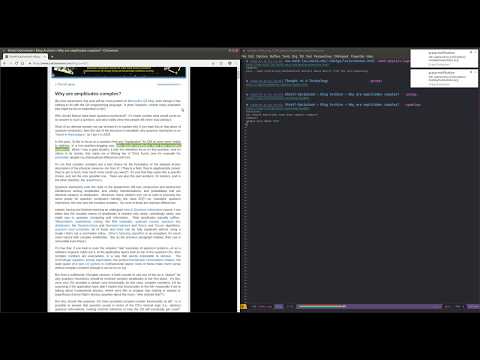
Reliably capture links and webpage content in a plaintext file (org-mode/markdown)

Grasp implements org-capture for Chrome. It adds button and keybindings to capture current page title and url, possibly selected text, additional comments or tags and sends it into your Org Mode file. To use it: - Install the extension from and setup hotkeys if necessary - You'll also need a running 'backend' to communicate with extension, see instructions here: https://github.com/karlicoss/grasp#setup

Details

  • Version
    1.0.2.1
  • Updated
    January 5, 2026
  • Offered by
    Dmitrii Gerasimov
  • Size
    33.54KiB
  • Languages
    English
  • Developer
    Email
    karlicoss@gmail.com
  • Non-trader
    This developer has not identified itself as a trader. For consumers in the European Union, please note that consumer rights do not apply to contracts between you and this developer.

Privacy

The developer has disclosed that it will not collect or use your data. To learn more, see the developer’s privacy policy.

This developer declares that your data is

  • Not being sold to third parties, outside of the approved use cases
  • Not being used or transferred for purposes that are unrelated to the item's core functionality
  • Not being used or transferred to determine creditworthiness or for lending purposes

Support

Related

BrainTool - Go Beyond Bookmarks

4.7

BrainTool is the best Bookmarks and Tabs Manager for your online life.

GhostText

4.8

Write in the browser with your text editor.

Link-Md

5.0

Create a markdown link of the current page with quoted text.

Obsidian Clipper

3.5

A small chrome plugin that let's you easily clip things to Obsidian

Surfingkeys

4.7

Rich shortcuts to click links/switch tabs/scroll, capture pages, use your browser like vim for productivity.

Chromemacs

4.2

The Hacker's Browser. Chromemacs provides keyboard shortcuts for navigation and control in the spirit of Emacs.

Notoy

0.0

Saves a link to the current active tab with its title, keywords and a long and short description as markdown, Org-Mode or plain text

Memex

3.8

Search, annotate and organize what you've read online.

Grasp | Media buying done right

4.8

Natively integrated with major ad buying interface, Grasp minimizes media buying errors.

Promnesia

5.0

Recall which pages you already visited, why and in which context

Chrome Emacs

5.0

Use Emacs to edit textareas and online editors

Logseq Quick Capture

4.5

Quick capture from Chrome to Logseq

BrainTool - Go Beyond Bookmarks

4.7

BrainTool is the best Bookmarks and Tabs Manager for your online life.

GhostText

4.8

Write in the browser with your text editor.

Link-Md

5.0

Create a markdown link of the current page with quoted text.

Obsidian Clipper

3.5

A small chrome plugin that let's you easily clip things to Obsidian

Surfingkeys

4.7

Rich shortcuts to click links/switch tabs/scroll, capture pages, use your browser like vim for productivity.

Chromemacs

4.2

The Hacker's Browser. Chromemacs provides keyboard shortcuts for navigation and control in the spirit of Emacs.

Notoy

0.0

Saves a link to the current active tab with its title, keywords and a long and short description as markdown, Org-Mode or plain text

Memex

3.8

Search, annotate and organize what you've read online.

Google apps