

Grab2Sheet — Web Data to Excel & CSV

Overview
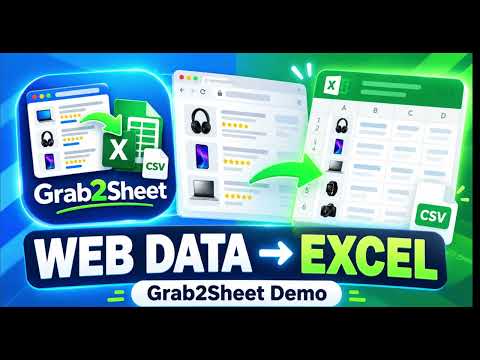
Extract tables, product listings and repeating webpage data into clean Excel or CSV files. No coding required.
Grab2Sheet turns webpage data into clean Excel and CSV files without coding. Instead of manually copying information from websites into spreadsheets, Grab2Sheet detects structured data on the page and lets you export it in seconds. Grab2Sheet works with more than traditional HTML tables. It can detect repeating content such as product listings, job cards, property listings, directories, comparison grids and other structured webpage data. What Grab2Sheet can do • Detect tables and repeating webpage data automatically • Extract product names, prices, ratings, review counts, links and images • Extract job listings, directories and property information • Add additional fields by clicking them directly on the webpage • Preview extracted data before exporting • Rename spreadsheet columns • Include or exclude columns • Reorder columns before export • Remove duplicate rows • Remove empty rows • Clean and normalize supported URLs • Export directly to Microsoft Excel (.xlsx) • Export to CSV • Copy extracted tables to the clipboard for Excel or Google Sheets Simple workflow 1. Open a webpage containing the information you want. 2. Open Grab2Sheet. 3. Select the detected dataset. 4. Review and organize the columns. 5. Export to Excel or CSV. Works with • HTML tables • Product grids • Search results • Job listings • Real-estate listings • Business directories • Comparison pages • Repeating cards and lists No coding required Grab2Sheet is designed for people who need webpage data in a spreadsheet without learning web scraping, CSS selectors or programming. Privacy-focused Grab2Sheet processes extracted webpage data locally in your browser. The current version does not require an account or upload extracted datasets to a Grab2Sheet server. Grab2Sheet only accesses the webpage you actively choose to extract data from. Whether you're researching products, building a spreadsheet, collecting listings, preparing market research or transferring online information into Excel, Grab2Sheet removes the repetitive copy-and-paste work.
0 out of 5No ratings
Details
- Version1.1.1
- UpdatedOctober 6, 2026
- Offered bywilson
- Size20.03KiB
- LanguagesEnglish
- Developerwilson maina
51 matangi nairobi 10100 KEEmail
wmaina526@gmail.comPhone
+254 714 232524 - TraderThis developer has identified itself as a trader per the definition from the European Union and committed to only offer products or services that comply with EU laws.
Privacy

Grab2Sheet — Web Data to Excel & CSV has disclosed the following information regarding the collection and usage of your data. More detailed information can be found in the developer's privacy policy.
Grab2Sheet — Web Data to Excel & CSV handles the following:
This developer declares that your data is
- Not being sold to third parties, outside of the approved use cases
- Not being used or transferred for purposes that are unrelated to the item's core functionality
- Not being used or transferred to determine creditworthiness or for lending purposes
Support
For help with questions, suggestions, or problems, visit the developer's support site