

GPT Threads Manager - Surf ChatGPT chats without scrolling
5 ratings
)
Overview
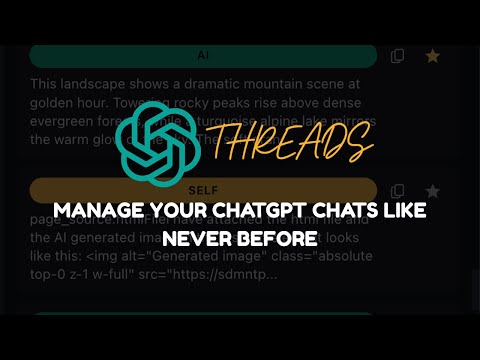
Manage ChatGPT conversations with a side panel for filtering, starring, and navigating messages.
GPT Threads - Your Ultimate ChatGPT Conversation Manager & Organization Tool Never lose another important ChatGPT conversation again. GPT Threads is the essential Chrome extension for anyone who uses ChatGPT regularly. Transform your ChatGPT experience with powerful organization tools, smart message management, and seamless conversation threading that keeps your AI interactions perfectly organized. 🎯 NEW: Ask Side Questions Without Disrupting Your Main Chat The game-changing feature you didn't know you needed: Ever wanted to ask ChatGPT a quick follow-up question without cluttering your main conversation? Now you can! With GPT Threads' revolutionary side panel, ask unlimited clarifying questions, request examples, or explore tangents—all while keeping your primary conversation clean and focused. How it works: - Type your side question directly in the collapsible thread panel - Get instant AI responses without interrupting your main chat flow - Keep your conversation history organized and professional - Perfect for research, coding sessions, and complex brainstorming Your main conversation stays pristine while you explore every angle of your topic. It's like having two ChatGPT windows in one—without the tab chaos. ✨ Complete Feature Set: 🗂️ Smart Message Organization Browse your entire ChatGPT history with ease. Separate tabs for AI responses, your prompts, or combined view—find any message in seconds, not minutes. ⭐ Star & Bookmark Important Messages Mark your best AI responses, crucial code snippets, or important insights. One-click navigation takes you straight back to any starred message in your ChatGPT conversation. 🖼️ Media & Code Library Instantly access all images, code blocks, and media generated across your entire chat session. No more endless scrolling to find that perfect code snippet or AI-generated image. 📤 Export ChatGPT Conversations Download your ChatGPT chats in multiple formats: - PDF for documentation and reports - CSV for data analysis - JSON for developers and archiving Export entire conversations or just selected messages—your data, your way. 🎨 Beautiful, Minimal Design Seamlessly integrates with ChatGPT's interface. No clutter, no distraction—just powerful features when you need them. ⚡ Lightning-Fast Navigation Click any message to jump directly to its location in your ChatGPT conversation. Save hours of scrolling through long chat histories. 🆓 7-Day Free Pro Trial Experience the complete GPT Threads Pro feature set absolutely free for 7 days. No credit card required. No hidden fees. Just powerful ChatGPT organization at your fingertips. 💡 Why ChatGPT Users Love GPT Threads: For Researchers: Keep track of complex research queries and organize findings across multiple ChatGPT sessions. For Developers: Quickly access all code snippets, star working solutions, and maintain clean conversation logs. For Writers: Bookmark the best AI-generated content, explore side ideas without losing your main thread, and export conversations for reference. For Professionals: Maintain organized ChatGPT histories for client work, documentation, and team collaboration. For Students: Save important explanations, organize study materials, and create exportable notes from ChatGPT conversations. 🚀 Start Organizing Your ChatGPT Conversations Today Transform the way you use ChatGPT. Install GPT Threads now and discover why thousands of users can't imagine using ChatGPT without it. Download GPT Threads and take control of your AI conversations—because every great ChatGPT response deserves to be remembered. --- Compatible with ChatGPT Plus, ChatGPT Free, and ChatGPT Team accounts. Works seamlessly with GPT-4, GPT-3.5, and all ChatGPT models.
5 out of 55 ratings
Details
- Version1.0.1
- UpdatedFebruary 16, 2026
- FeaturesOffers in-app purchases
- Offered byAhmed Gagan
- Size96.66KiB
- LanguagesEnglish
- Developer
Email
adgan.business@gmail.com - Non-traderThis developer has not identified itself as a trader. For consumers in the European Union, please note that consumer rights do not apply to contracts between you and this developer.
Privacy

GPT Threads Manager - Surf ChatGPT chats without scrolling has disclosed the following information regarding the collection and usage of your data. More detailed information can be found in the developer's privacy policy.
GPT Threads Manager - Surf ChatGPT chats without scrolling handles the following:
This developer declares that your data is
- Not being sold to third parties, outside of the approved use cases
- Not being used or transferred for purposes that are unrelated to the item's core functionality
- Not being used or transferred to determine creditworthiness or for lending purposes