


Overview
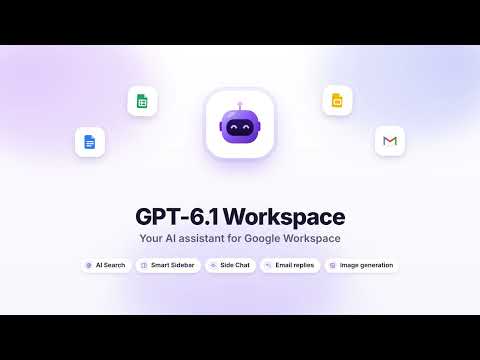
GPT in Google Workspace & AI Tools: AI Search, Smart Sidebar, Side Chat, email replies, image generation — AI assistant.
Get answers, write faster and finish work in Gmail, Google Docs, Sheets and Slides without switching tabs. GPT-6.1 Workspace puts a powerful GPT AI assistant in Chrome's side panel: ask anything, summarize the page you're reading, reply to emails in one click and generate images — free, with no sign-up and no Google login. ★ AI CHAT FOR ANY QUESTION Use it as your everyday AI chat. Explain a topic in simple words, write and fix code, brainstorm ideas, plan a trip, draft a post or translate a message. Choose GPT-6.1 Fast for quick replies or GPT-6.1 Smart for harder tasks. Answers stream smoothly in the Smart Sidebar, and one click opens a full-screen chat with your history when you need more room. ★ AI FOR GMAIL: EMAIL REPLIES IN ONE CLICK • "Write with AI" sits right next to the Send button • Summarize any email thread: who wants what, key facts, deadlines • Pick a ready reply — accept, decline, thank, follow up — or describe your own • Choose the tone (friendly, formal, short) and insert the reply into your draft • Extract action items, check the tone of your draft, translate emails You always review the text and press Send yourself. ★ AI WRITER FOR GOOGLE DOCS An AI bar appears at the bottom of every document. Select text and: • Improve writing — clearer, shorter, same meaning • Continue writing in the same style • Summarize, outline, proofread or translate • Replace the selection or insert below — no copy-paste Create a new Google Doc from any AI answer in one click. ★ AI TOOLS FOR GOOGLE SHEETS • Clean data: trim spaces, fix capitalization, normalize dates, numbers, phones and emails, remove duplicates • Add totals and get a quick analysis: trends, outliers, insights • Explain selected cells and get formulas from plain language • Get chart ideas and insert AI-built tables straight into your sheet ★ AI FOR GOOGLE SLIDES AND DRIVE Summarize a presentation slide by slide, generate speaker notes for every slide, get ideas for missing slides and a structure review. From Google Drive, turn any answer into a new Doc or Sheet. ★ AI SEARCH WITH SOURCES Turn on AI Search to get up-to-date answers from the web with numbered citations you can open and check. Ideal for news, research, prices and "what's new" questions. ★ AI IMAGE GENERATION Describe a picture and get it in 1:1, 16:9 or 9:16 — for blog headers, social posts and slides. Download the PNG, copy it, or attach your own image to restyle it. ★ SIDE CHAT ON ANY WEBSITE Open the side panel on any page and click Summarize page, Key takeaways, Explain simply or Translate page. Select text and right-click for Ask, Explain, Translate, Improve or Reply. Attach PDFs, images and text files, take an area screenshot and ask about it, or use voice input. ★ MADE FOR REAL WORK • Custom assistants with your own instructions (tutor, editor, translator, analyst) • Prompt library — type / for 15 ready prompts, @ to add the current page • Chat history saved in your browser and searchable • Interface in 10 languages: English, Russian, Spanish, Portuguese, French, Italian, German, Hindi, Japanese and Chinese • Light and dark theme, keyboard shortcut Alt+Shift+G ★ ALL YOUR AI TOOLS IN ONE PLACE Instead of juggling separate apps for chat, writing, AI Search and image generation, you get one AI assistant that already knows what's on your screen. The Smart Sidebar stays next to your work, Side Chat follows you from tab to tab, and email replies, document edits and spreadsheet fixes land exactly where you need them — so GPT works inside Google Workspace, not in another window. ★ WHO IT'S FOR Students summarizing articles, marketers writing posts, sales teams answering emails, analysts cleaning spreadsheets, managers preparing presentations — anyone who wants a smart AI helper inside the Google Workspace apps they already use. ★ PRIVATE BY DESIGN • No account, no Google sign-in and no OAuth access to your Gmail or Drive • Pages and files are read only when you ask — never in the background • Your content is sent to the AI only to generate the answer and is not stored on our server • Chat history stays on your device; delete everything from the menu at any time • No ads, no analytics, no selling of data ★ FREE TO USE 60 AI messages and 10 images every day, reset daily. No credit card, no subscription, no API key. ★ HOW TO START 1. Add GPT-6.1 Workspace to Chrome and pin it to the toolbar. 2. Open Gmail, a Google Doc, a sheet or any website. 3. Click the icon or press Alt+Shift+G, then ask or pick an action. Website: https://gptspaceai.com GPT-6.1 Workspace is an independent product and is not affiliated with, endorsed or sponsored by Google LLC or OpenAI. Gmail, Google Workspace, Google Docs, Google Sheets, Google Slides and Google Drive are trademarks of Google LLC. GPT is a trademark of OpenAI and is used here to describe the AI models the extension runs on.
0 out of 5No ratings
Details
- Version1.0.0
- UpdatedOctober 31, 2026
- Size294KiB
- Languages11 languages
- DeveloperTamara LapataveniaWebsite
ул. Мицкевича д. 38, кв. 30 Новогрудок, Гродненская область 231400 BYEmail
tamaralapatovene@gmail.comPhone
+33 7 59 02 68 71 - TraderThis developer has identified itself as a trader per the definition from the European Union and committed to only offer products or services that comply with EU laws.
Privacy

GPT-6.1 Workspace: AI Chat Assistant has disclosed the following information regarding the collection and usage of your data. More detailed information can be found in the developer's privacy policy.
GPT-6.1 Workspace: AI Chat Assistant handles the following:
This developer declares that your data is
- Not being sold to third parties, outside of the approved use cases
- Not being used or transferred for purposes that are unrelated to the item's core functionality
- Not being used or transferred to determine creditworthiness or for lending purposes
Support
For help with questions, suggestions, or problems, visit the developer's support site