

GPS Anxiety

Overview
Side-panel toolkit for anxiety: breath, voice, body, vision, sound & skin tools. Offline, private, no account required.
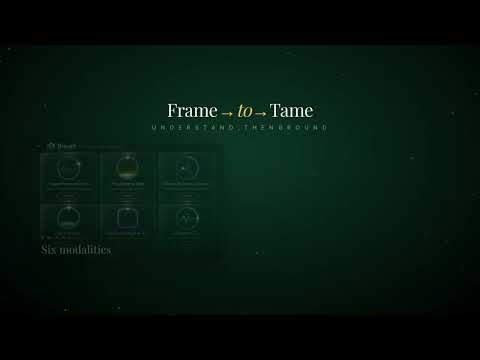
GPS Anxiety — Your private, offline side-panel toolkit for moments of stress, anxiety, panic and overwhelm. GPS Anxiety is a Chrome side-panel companion that puts evidence-informed grounding and self-regulation tools one click away. No accounts, no sign-ups, no data collection — everything runs locally in your browser, even when you are offline. Six grounding modalities, one clover hub Open the side panel and land on an 8-leaf clover that maps your nervous system to six simple tool categories: Eyes — visual anchoring, green-light calm, fractal focus and EMDR-style gaze tools to settle an overactive mind. Ears — binaural beats, ear massage guidance and frequency-based audio to shift brain states. Skin — somatic grounding, EFT tapping patterns and touch-based regulation you can do anywhere. Breath — paced breathing, vagus-resonance rhythms and belly-breath guides. Voice — humming anchors and 110 Hz vagus tone exercises. Body — body scan, mobile-friendly skip regions and trauma-aware pacing. Built-in safety and guidance Clinical warnings and contraindications stay permanently visible inside each tool — never hidden behind cards or tooltips. The SOS centre button jumps straight to the Tame body step when you need fastest grounding. Frame & Tame portal Learn the science first, then act. The Frame page explains the Hand Model of the Brain and Vagus Nerve in plain language; the Tame portal walks you through a 4-step grounding process (Name it, Body, Story, Perspective). Songs library A curated dark audio player with 11 grounding tracks and 3D info cards, ready to play without leaving the side panel. How to use it Install GPS Anxiety. Pin the extension. Press Ctrl+Shift+G (or click the icon) to open the side panel. Pick a leaf, follow the guide, breathe. Privacy you can verify No server connection required. No analytics, cookies or personal data collected. Your session stays on your device. Who it is for Anyone who experiences anxiety, panic, sensory overwhelm, ADHD overstimulation, PTSD triggers or simply wants a quick, discreet regulation tool at work or home. GPS Anxiety is not a replacement for professional mental-health care. If you are in crisis, please contact a qualified professional or emergency service.
0 out of 5No ratings
Details
- Version1.2.2
- UpdatedAugust 8, 2026
- FeaturesOffers in-app purchases
- Offered byLearn with Aleks App EQ3
- Size3.13MiB
- LanguagesEnglish (United Kingdom)
- Developer
Email
nadyabozhinova@gmail.com - Non-traderThis developer has not identified itself as a trader. For consumers in the European Union, please note that consumer rights do not apply to contracts between you and this developer.
Privacy

This developer declares that your data is
- Not being sold to third parties, outside of the approved use cases
- Not being used or transferred for purposes that are unrelated to the item's core functionality
- Not being used or transferred to determine creditworthiness or for lending purposes
Support
For help with questions, suggestions, or problems, visit the developer's support site