

MathPaster - Math Keyboard for Any AI Chatbot

Overview
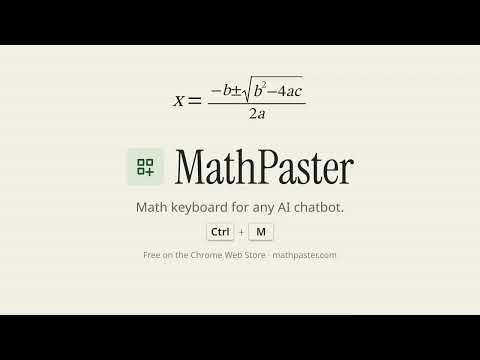
Write equations visually and paste LaTeX into any AI chatbot, including ChatGPT, Claude, and Gemini.
MathPaster is a free visual math keyboard and LaTeX equation editor for Chrome. Easily write fractions, integrals, matrices and mathematical symbols, then insert your equations into any AI chatbot—including ChatGPT, Claude, Gemini and DeepSeek. Spend less time describing equations in words or checking nested parentheses. Build your math visually, check its structure as you type, and add it to your question without writing LaTeX by hand. HOW IT WORKS 1. Click your chatbot’s message box. 2. Open MathPaster with Ctrl+M on Windows/Linux or Cmd+M on Mac. 3. Write your equation using the keyboard or symbol palette. 4. Press Insert to place the LaTeX into your prompt. MathPaster handles the notation. You add your question and send it when you’re ready. WRITE MATH FASTER • Auto-Symbols: Simply type sqrt, int, sum or alpha to insert mathematical notation. Hundreds of shortcuts work without a backslash. • Fractions: Press / to create a fraction. Use the up and down arrow keys to move between the numerator and denominator. • LaTeX autocomplete: Type a backslash followed by a command, such as \sqrt or \frac, then choose a suggestion. • Matrices: Pick your brackets and matrix dimensions, then use Tab to move between cells. • Edit existing equations: Select a formula in your prompt, including its $...$ or $$...$$ delimiters, and reopen MathPaster to edit it visually. EVERYDAY MATH AND ADVANCED NOTATION Explore symbol categories for calculus, linear algebra, statistics, groups, logic and Greek letters. Build roots, sums, limits, derivatives, vectors and more. Access the complete uppercase and lowercase Greek alphabet, plus common variants. FREE FEATURES • Visual equation editing with an optional live LaTeX bar. • Direct insertion and Copy LaTeX. • Auto-Symbols and built-in symbol palettes. • Locally saved drafts and your last 20 inserted equations. • Precision and Paper themes. • Adjustable editor dimensions and font sizes. OPTIONAL MATHPASTER PRO Save reusable equations as named snippets, organize them in folders, create custom symbol tabs, and personalize your editor with Glass and Vaporwave themes. The core math editor remains free. USE IT WITH YOUR PREFERRED CHATBOT MathPaster produces standard LaTeX for use with ChatGPT, Claude, Gemini and other AI chatbots. If a website restricts direct insertion, use Copy LaTeX and paste your equation manually. Rendering depends on the chatbot. Available for desktop Chrome and compatible Chromium browsers, including Edge, Brave, Opera and Vivaldi. PRIVACY Equation editing happens locally in your browser. Drafts and equation history stay on your device. Optional Pro activation and license checks use Lemon Squeezy. Privacy policy: https://mathpaster.com/privacy.html Try the interactive demo before installing: https://mathpaster.com/#demo Install MathPaster and make math part of your next AI conversation.
5 out of 54 ratings
Details
- Version2.0.4
- UpdatedOctober 29, 2026
- FeaturesOffers in-app purchases
- Size580KiB
- LanguagesEnglish
- DeveloperWebsite
Email
beny1703@gmail.com - Non-traderThis developer has not identified itself as a trader. For consumers in the European Union, please note that consumer rights do not apply to contracts between you and this developer.
Privacy

MathPaster - Math Keyboard for Any AI Chatbot has disclosed the following information regarding the collection and usage of your data. More detailed information can be found in the developer's privacy policy.
MathPaster - Math Keyboard for Any AI Chatbot handles the following:
This developer declares that your data is
- Not being sold to third parties, outside of the approved use cases
- Not being used or transferred for purposes that are unrelated to the item's core functionality
- Not being used or transferred to determine creditworthiness or for lending purposes