


Overview
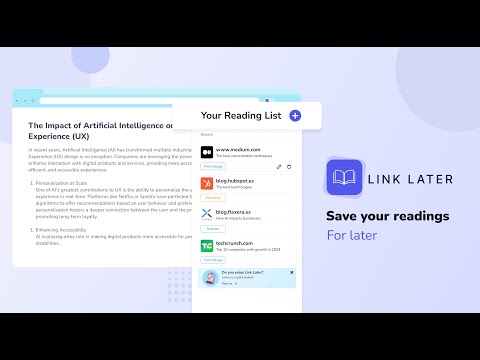
With LinkLater, you can save links and important pages to revisit later.
LinkLater — Save links, highlights & notes in one place LinkLater is your personal reading companion. Save pages, capture highlights, and write your own notes — all synced across your devices and organized exactly how you like. Key features: ✅ Save links for later — Bookmark any page in one click and come back to it whenever you're ready. ✅ Capture highlights — Save key quotes and passages directly from the pages you're reading. ✅ Your own notebook — Write notes that live independently of any page. Capture ideas, summaries, reactions, or anything worth keeping. Add a color, a category, and find it in seconds later. ✅ Read aloud — Listen to your highlights and notes with the built-in reader. Perfect for reviewing on the go without looking at a screen. ✅ Color labels & categories — Tag everything with colors and custom labels to build a system that matches how you think. ✅ Quick search & filters — Find any link, highlight, or note instantly. Filter by color to narrow things down even faster. ✅ Dark mode — Switch between light and dark with one tap, whenever you want. ✅ Backup & restore — Export your reading list, highlights, and notes to a file anytime, one section at a time or all at once, and import them back whenever you need to. ✅ Automatic sync — Your reading list, highlights, and notes stay in sync across all your Chrome devices without lifting a finger. ✅ 15+ languages — Full support for English, Spanish, French, Portuguese, German, Italian, Japanese, Korean, Chinese, and more. How it works: Click the LinkLater icon while browsing. Save the page, grab a quote, or jot down a thought. Organize with colors and categories. Search when you need it. Delete anything with one click when you're done. One extension. Everything you read, everything you think — in one place.
4.7 out of 516 ratings
Details
- Version2.3.1
- UpdatedSeptember 29, 2026
- Size7.07MiB
- Languages15 languages
- DeveloperWebsite
Email
luisestebanveragomez@gmail.com - Non-traderThis developer has not identified itself as a trader. For consumers in the European Union, please note that consumer rights do not apply to contracts between you and this developer.
Privacy

This developer declares that your data is
- Not being sold to third parties, outside of the approved use cases
- Not being used or transferred for purposes that are unrelated to the item's core functionality
- Not being used or transferred to determine creditworthiness or for lending purposes
Support
For help with questions, suggestions, or problems, please open this page on your desktop browser