


Overview
Web clipper to save webpages and AI chats as articles, screenshots, PDFs, and tables, with advanced extraction and Obsidian export.
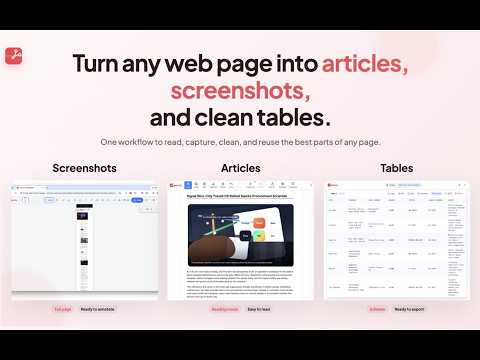
Save webpages and AI chats as clean articles, screenshots, PDFs, and tables. GoSnip helps you capture, clean, and export web content in seconds. From full-page screenshots to clean reading views and reusable table data, it gives you a fast way to save important content from almost any website. Core features Screenshots (processed locally) - Full-page screenshots with automatic scrolling - Visible area screenshots for quick capture - Selected area screenshots for precise capture - Built-in editor and annotation tools Article capture - Clean Article (processed locally): remove ads and distractions for a clean reading view - Advanced Clean (processed on GoSnip's server): stronger extraction for complex pages - Original Style (processed on GoSnip's server): remove ads while preserving the original layout and visual structure - PDF export (processed on GoSnip's server): generate clean, printable PDFs Table extraction (processed locally) - Capture the current visible table instantly - Capture full paginated tables with automatic scrolling - Review and edit before export - Export to CSV, Excel, JSON, Markdown, or Obsidian Privacy - Screenshots and default table/article extractions are processed locally in your browser - For Advanced Clean, Original Style, and PDF export, page HTML is sent to GoSnip's server for processing and returned immediately - Page content is not stored persistently on our servers - We do not track or collect your browsing history - We do not sell your data or use it for advertising Great for - Saving Claude, ChatGPT, DeepSeek, and other AI chat conversations as PDF - Archiving research articles and technical documentation - Capturing long web pages and social media content - Creating clean, printable PDFs - Extracting structured data from tables - Saving content for offline reading and personal knowledge bases Get started Install GoSnip to save important web content in a cleaner, more usable format. A free tier is available, and you can start using core features right away. Privacy Policy: https://www.gosnip.io/en/privacy.html Support: support@gosnip.io Website: https://www.gosnip.io --------------------------- 🛠 Release Notes: - 0.1.6: Fixed misc bugs - 0.1.5: Removed the downloads permission. Fixed login state sync in content editor; improved table editor login UX with auto-dismiss and re-extract guide; replaced alert dialogs with toast notifications; added ARIA accessibility labels. - 0.1.4: Removed the tabs permission and host_permissions.
5 out of 51 rating
Details
- Version0.1.6
- UpdatedApril 6, 2026
- FeaturesOffers in-app purchases
- Size2.78MiB
- Languages3 languages
- DeveloperWebsite
Email
support@gosnip.io - Non-traderThis developer has not identified itself as a trader. For consumers in the European Union, please note that consumer rights do not apply to contracts between you and this developer.
Privacy

GoSnip - Screenshots, Articles, PDFs & Table Extraction has disclosed the following information regarding the collection and usage of your data. More detailed information can be found in the developer's privacy policy.
GoSnip - Screenshots, Articles, PDFs & Table Extraction handles the following:
This developer declares that your data is
- Not being sold to third parties, outside of the approved use cases
- Not being used or transferred for purposes that are unrelated to the item's core functionality
- Not being used or transferred to determine creditworthiness or for lending purposes
Support
For help with questions, suggestions, or problems, please open this page on your desktop browser