


نمای کلی
A simple way to capture your screen and share your ideas using Google Vids.
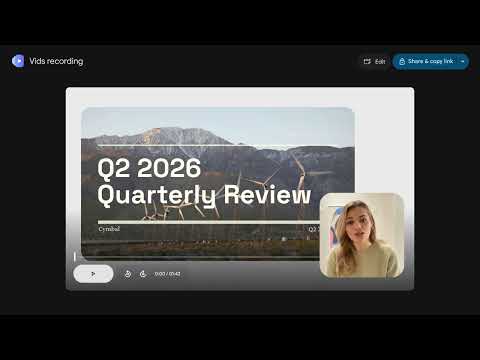
Stop switching between apps to record a quick update. With the Google Vids Screen Recorder, you can capture your screen and camera with a single click right from Chrome’s extensions toolbar. Whether you are creating a tutorial, walking through a new feature, or giving feedback on a project, this extension keeps you in your workflow. WHY YOU'LL LOVE IT ▸ Record Anywhere: Capture high-quality video from your Chrome browser without interruption. ▸ Generous Limits: Record thorough walkthroughs or deep-dive presentations up to 30 minutes long. Record as often as you’d like! ▸ Available at no additional cost: Get professional recording tools with your personal Google account or Google Workspace subscription. ▸ Seamless Sharing and Editing: Once you’re done, preview your recording and open it instantly in Google Vids to edit and share with your team. ------------------------------------------------------------------------------------------------------------------------------------------------- HOW IT WORKS 1. Add the Extension: Install the Google Vids Screen Recorder. 2. Pin to Access: In the Chrome extensions toolbar, click the pin next to “Google Vids Screen Recorder” to pin it for quick access. 3. Click to Start: Click on the Google Vids icon in your Chrome extensions toolbar to begin. 4. Prepare to Record: Choose whether you want to record your screen, your screen and camera, just your camera, or just audio. Ensure the correct microphone and camera (if relevant) are selected. 5. Select Screen to Capture: Choose to record your entire desktop, a specific window, or just your current tab. 6. Start Recording: Record your content. You can pause and restart as needed. 7. Preview & Edit: Review your clip immediately, and then share and copy a link to your video with one click. Jump seamlessly into Google Vids for advanced editing. ------------------------------------------------------------------------------------------------------------------------------------------------- PERFECT FOR EVERY WORKFLOW ▸ Product Teams: Share quick demos or document bugs in seconds. ▸ Educators: Create engaging tutorials and instructional videos for students. ▸ Remote Teams: Replace long emails and meetings with quick video updates. Admin Note: Organizations can force-install and auto-pin this extension via the Google Admin console to ensure their teams have instant access to recording tools. Learn more at https://knowledge.workspace.google.com/admin/users/access/turn-vids-on-or-off-for-users#let_users_record_their_screen.
۴٫۴ از ۵۴۷ ردهبندی
جزئیات
- نسخه1.60.1
- تاریخ بهروزرسانی۹ شهریور ۱۴۰۵
- اندازه1.86MiB
- زبانها۳۱ زبان
- توسعهدهندهGoogle Ireland, Ltd.
Gordon House Barrow Street Dublin 4 D04 E5W5 IEایمیل
docs-extension-support@google.comتلفن
+1 650-253-0000 - معاملهگراین توسعهدهنده طبق تعریف اتحادیه اروپا، خود را بهعنوان تاجر معرفی کرده است و متعهد شده است فقط محصولات یا سرویسهایی را ارائه دهد که در راستای قوانین اتحادیه اروپا هستند.
- D-U-N-S985840714
حریم خصوصی

Google Vids Screen Recorder اطلاعات زیر را برای شفافسازی درخصوص جمعآوری و استفاده از دادههایتان ارائه کرده است. اطلاعات دقیقتر را میتوانید در privacy policy توسعهدهنده پیدا کنید.
Google Vids Screen Recorder مورد زیر را مدیریت میکند:
این توسعهدهنده اعلام میکند که دادههای شما
- خارج از موارد استفاده تأییدشده، به اشخاص ثالث فروخته نمیشود
- برای اهداف نامرتبط با عملکرد اصلی مورد استفاده یا منتقل نمیشود
- برای تعیین اعتبارمندی یا برای اهداف وامدهی استفاده یا منتقل نمیشود
پشتیبانی
برای دریافت راهنمایی درباره سؤالها، پیشنهادها، یا مشکلات، از سایت پشتیبانی توسعهدهنده بازدید کنید