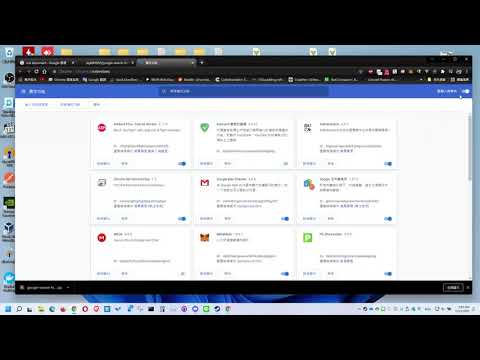
Item logo image for google search force open (third party tools)

google search force open (third party tools)

Item media 4 (screenshot) for google search force open (third party tools)
Item video thumbnail
Item media 2 (screenshot) for google search force open (third party tools)
Item media 3 (screenshot) for google search force open (third party tools)
Item media 4 (screenshot) for google search force open (third party tools)
Item video thumbnail
Item media 2 (screenshot) for google search force open (third party tools)
Item media 3 (screenshot) for google search force open (third party tools)
Item media 4 (screenshot) for google search force open (third party tools)

Overview

一鍵開啟所有頁面

此擴展只執行在以下url地址下 "https://www.google.com.tw/*", "https://www.google.com/*", "https://forum.gamer.com.tw/*", "https://duckduckgo.com/*" 絕無任何資料蒐集和網路傳送功能 所有程式碼在github https://github.com/pigkl69855/google-search-force-open

Details

  • Version
    1.0.2
  • Updated
    September 9, 2023
  • Offered by
    ooloo2115
  • Size
    148KiB
  • Languages
    中文(台灣)
  • Developer
    Email
    ooloo2115@gmail.com
  • Non-trader
    This developer has not identified itself as a trader. For consumers in the European Union, please note that consumer rights do not apply to contracts between you and this developer.

Privacy

The developer has disclosed that it will not collect or use your data.

This developer declares that your data is

  • Not being sold to third parties, outside of the approved use cases
  • Not being used or transferred for purposes that are unrelated to the item's core functionality
  • Not being used or transferred to determine creditworthiness or for lending purposes

Support

Related

Bulk URL Opener Extension

4.4

Open multiple URLs at once

Bookmark All Tabs

5.0

Bookmark all open tabs across all windows with a single click

Open in Popup Window

4.7

Open any links and images in a popup window

Auto Clicker

2.2

Just click automation

Open in Yandex™ Browser

4.2

Open current page, link, or all tabs in the Yandex browser.

Open in IE™

2.8

Open links in IE (Internet Explorer)

Open Links in New Tab

2.5

Ensures all links open in a new tab.

Sidebar

2.5

Open any web page in the sidebar

Disable keyboard shortcuts

3.9

Disable arbitrary keyboard shortcuts

Open Links In New Tab

3.4

Opens all links in a new tab

Undo Closed Tabs 2.0

3.9

Re-open all the closed tabs 🗂️ with one click.

Quick Javascript Switcher

4.3

Disable JavaScript on any site in one click

Bulk URL Opener Extension

4.4

Open multiple URLs at once

Bookmark All Tabs

5.0

Bookmark all open tabs across all windows with a single click

Open in Popup Window

4.7

Open any links and images in a popup window

Auto Clicker

2.2

Just click automation

Open in Yandex™ Browser

4.2

Open current page, link, or all tabs in the Yandex browser.

Open in IE™

2.8

Open links in IE (Internet Explorer)

Open Links in New Tab

2.5

Ensures all links open in a new tab.

Sidebar

2.5

Open any web page in the sidebar

Google apps