

Google Search Console - Bulk Link Removal

Overview
Automate bulk temporary URL removals in Google Search Console.
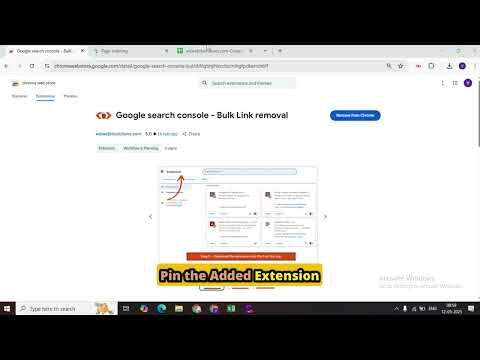
GSC Bulk Link Removal — submit many URLs for temporary removal in one go. Removing URLs one at a time in Google Search Console's Removals tool is slow and repetitive. This extension automates the clicking so you can submit an entire list of URLs for temporary removal in a single run — and keep working while it does. ✦ Key features • Bulk submit — paste URLs (one per line) and process them automatically through the official "New Request" flow. • CSV / TXT import — upload a file and the extension extracts the URLs from any column, ignores header rows, and removes duplicates. A downloadable sample CSV is built in. • Runs in the background — click Start, then switch tabs or windows and carry on with other work. The run keeps going, and reopening the popup reconnects to live progress. • Live activity log — watch each URL as it's submitted, with clear success and failure messages. • Progress bar & counts — real-time "X of Y" with running success and failed totals. • Stop & Reset — cancel cleanly after the current URL, and reset everything with one click when you're done. • Report & export — see a "Sent" vs "Not sent" breakdown (with reasons) and download a CSV report or copy it for your records. • Clean, professional interface designed to match Search Console. ✦ How to use Open Google Search Console → Removals → Temporary Removals. Click the extension icon. Paste your URLs, or click Import CSV (use Sample for a template). Click Start Removal — then keep working in other tabs if you like. Reopen the popup to monitor progress, download the report, and Reset when finished. ✦ Notes • This tool automates the official Search Console removal workflow. It does not bypass anything or use any private API. You must be signed in with an account that can manage removals for the property. • Temporary removals hide a URL from Google Search for about six months. To remove content permanently, update or delete the page itself. • For fastest results on large batches, keep the Search Console tab in its own window (Chrome slows timers in hidden background tabs). • The extension runs only on the Search Console Removals page and does not collect, store, or transmit your data anywhere. Save hours of manual clicking — submit your removal requests in bulk. ━━━━━━━━━━━━━━━━━━━━ ✦ What's new v2.0 • Background mode — switch tabs while a run continues; reopen the popup to reconnect to live progress • CSV / TXT import with a downloadable sample • Sent / Not-sent report with CSV download & copy • Reset button to clear everything in one click • Live progress bar, success/failed counts, and Stop button v1.3 • Rebuilt automation for the current Search Console interface (more reliable URL → Next → Submit flow) v1.2 • Fixed connection errors with on-demand script injection • New professional popup design v1.0 • Initial release — bulk-submit pasted URLs for temporary removal
5 out of 55 ratings
Details
- Version2.0
- UpdatedJune 23, 2026
- Size1.02MiB
- LanguagesEnglish
- DeveloperWizweb IT Solutions Pvt LtdWebsite
Office No - 204 A-140 Sector 63 Noida, Uttar Pradesh 201301 INEmail
hello@wizweb.inPhone
+91 98072 46884 - TraderThis developer has identified itself as a trader per the definition from the European Union and committed to only offer products or services that comply with EU laws.
Privacy

This developer declares that your data is
- Not being sold to third parties, outside of the approved use cases
- Not being used or transferred for purposes that are unrelated to the item's core functionality
- Not being used or transferred to determine creditworthiness or for lending purposes
Support
For help with questions, suggestions, or problems, visit the developer's support site