

Google Photos & iCloud Photos Duplicate Finder by PicSweep

Overview
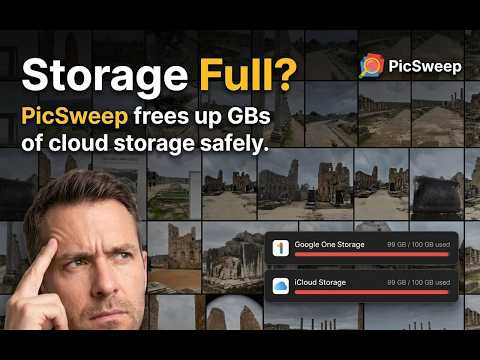
Find & remove cloud storage duplicate photos. Privacy-first photo remover & storage cleanup: your files never leave browser.
Declutter your Google Photos and iCloud Photos library in seconds. Are you tired of manually scrolling through thousands of photos and videos to find duplicates and blurry shots? PicSweep is the privacy-focused, intelligent, and fully customizable way to clean up your Google Photos and iCloud Photos library. Now featuring complete iCloud Photos support! Effortlessly clean up both your Google and Apple libraries directly on your favorite browsers. Compatible with Chrome, Edge, Opera, Brave, and all Chromium-based browsers. Why choose PicSweep? • Privacy-First: Your memories stay yours. All image and video processing happens locally in your browser. Your media never leaves your device and is never uploaded to an external server. • Practical Batch/Part Scanning: Scan your library in parts or batches and effortlessly continue exactly from where you left off, saving time on large libraries. • Album & Search Result Scanning (Google Photos & iCloud Photos): Search for an album or keyword in Google Photos or iCloud Photos and scan those results directly to find duplicates in specific subsets of your library. • Customizable Similarity Settings: Adjust the settings to group only near-identical images, or gradually expand the threshold to catch sequential shots and edits. • Favorites & Starred Protection: Your most precious memories are safe. PicSweep automatically protects your favorite or starred photos and videos from deletion by default. If you do wish to clean them up as well, you can easily choose to include or mark them for deletion. • Smart Date Filtering (Google Photos): Select a specific date range before starting your scan to focus on a particular trip, month, or year. • Advanced Video Grouping: Filter and group videos based on duration, time, and visual similarity to find redundant clips instantly. • Photo/Video Filter in Results: Instantly show or hide photos and videos in the review results with a single click to focus on what matters. • Side-by-Side Review: View and compare images and videos side-by-side during the review phase to choose exactly what to keep. How it works: 1. Launch PicSweep: Click the extension icon. If Google Photos or iCloud Photos isn't open, PicSweep will open them for you. 2. Set Your Preferences: For the most accurate scan, ensure you are on the main timeline page. Choose your date range, adjust your similarity settings, and configure your preferences. 3. Scan & Identify: PicSweep analyzes your media and automatically identifies and selects the duplicates or similar files for you. 4. Review & Trash: Review the selected items side-by-side. Once ready, move them to the Google Photos or iCloud Photos Trash with a single click. 5. Safety & Reclaim: o Not sure? You can always restore items from the trash later. o Need space? To officially reclaim your cloud storage, simply empty your Google Photos or iCloud Photos trash. Stop paying for extra cloud storage for files you don't even want. Reclaim your space and get organized. Install PicSweep today! Disclaimer: PicSweep is an independent tool and is not affiliated with Google or Apple.
4.7 out of 56 ratings
Details
- Version2.8.2
- UpdatedOctober 5, 2026
- FeaturesOffers in-app purchases
- Size1.31MiB
- Languages24 languages
- DeveloperBurak Sezin OvantWebsite
Meclis Mh. Gelincik Sok. No: 1/L Boutique Daça Sitesi, A2 Blok, Daire A5 Sancaktepe, İstanbul 34785 TREmail
contact@algorythmio.comPhone
+90 542 259 63 49 - TraderThis developer has identified itself as a trader per the definition from the European Union and committed to only offer products or services that comply with EU laws.
Privacy

Google Photos & iCloud Photos Duplicate Finder by PicSweep has disclosed the following information regarding the collection and usage of your data. More detailed information can be found in the developer's privacy policy.
Google Photos & iCloud Photos Duplicate Finder by PicSweep handles the following:
This developer declares that your data is
- Not being sold to third parties, outside of the approved use cases
- Not being used or transferred for purposes that are unrelated to the item's core functionality
- Not being used or transferred to determine creditworthiness or for lending purposes
Support
For help with questions, suggestions, or problems, please open this page on your desktop browser