

Google AI Overview Disabler
2 ratings
)
Overview
Automatically switches to Google Web results to disable AI Overview
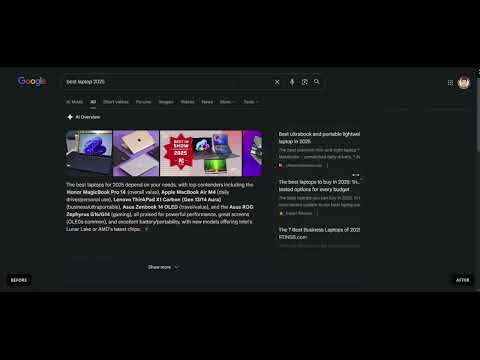
Google AI Overview Disabler automatically redirects your searches to the classic "Web" tab, giving you clean, traditional search results without AI-generated content. ✨ What it does When you search on Google, this extension automatically adds the udm=14 parameter to your URL — the same as clicking the "Web" tab manually, but instant and automatic. Before: Ads → AI Overview → More Ads → Sponsored → Finally, results After: Just the search results you're looking for 🚀 Features • One-click toggle — Easily enable or disable from the popup • Lightning fast — Uses Chrome's declarativeNetRequest API (no slow scripts) • Privacy-friendly — No data collection, no tracking, no analytics • Lightweight — Minimal permissions, tiny footprint 🔒 Permissions explained • declarativeNetRequest — Required to redirect URLs at the network level • storage — Saves your on/off preference • google.com access — Only modifies Google search URLs 💡 How it works The extension intercepts Google search requests and adds udm=14 to the URL, which tells Google to show the "Web" results view instead of the default AI-enhanced view. Open source: github.com/incconutwo/Google-AI-Overview-Disabler Made by @tnemoroccan
3 out of 52 ratings
Details
- Version1.0.1
- UpdatedFebruary 18, 2026
- Offered byincconu_two
- Size18.13KiB
- LanguagesEnglish (United States)
- Developer
Email
incconutwousa@gmail.com - Non-traderThis developer has not identified itself as a trader. For consumers in the European Union, please note that consumer rights do not apply to contracts between you and this developer.
Privacy

This developer declares that your data is
- Not being sold to third parties, outside of the approved use cases
- Not being used or transferred for purposes that are unrelated to the item's core functionality
- Not being used or transferred to determine creditworthiness or for lending purposes
Support
For help with questions, suggestions, or problems, visit the developer's support site