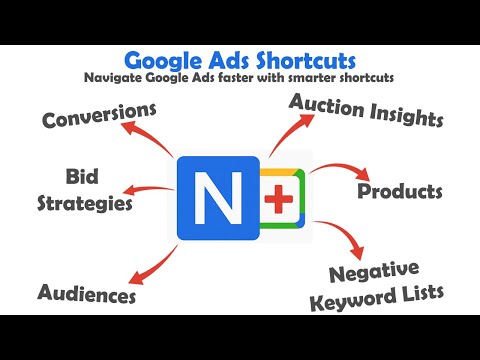
Item logo image for Google Ads Shortcuts

Google Ads Shortcuts

Item media 6 (screenshot) for Google Ads Shortcuts
Item video thumbnail
Item media 2 (screenshot) for Google Ads Shortcuts
Item media 3 (screenshot) for Google Ads Shortcuts
Item media 4 (screenshot) for Google Ads Shortcuts
Item media 5 (screenshot) for Google Ads Shortcuts
Item media 6 (screenshot) for Google Ads Shortcuts
Item video thumbnail
Item media 2 (screenshot) for Google Ads Shortcuts
Item media 3 (screenshot) for Google Ads Shortcuts
Item media 4 (screenshot) for Google Ads Shortcuts
Item media 5 (screenshot) for Google Ads Shortcuts
Item media 6 (screenshot) for Google Ads Shortcuts

Overview

Add keyboard shortcuts to the Google Ads interface.

Boost Your Workflow in Google Ads with Smarter Shortcuts This Chrome extension enhances your experience in Google Ads by adding practical keyboard shortcuts to the pages you visit most — even those that are buried deeper in the interface. While Google Ads already includes some built-in shortcuts, they can be limited or inconsistent. Our extension fills that gap by making everyday navigation faster and more intuitive. To help you get started, the extension displays available shortcuts directly on supported pages. Prefer a cleaner interface? You can easily hide these labels via the extension settings. Privacy-Conscious GA4 Integration We’ve integrated Google Analytics 4 (GA4) to help us understand which shortcuts are used most, so we can improve the extension over time. We never collect or track anything that could compromise your privacy or violate platform rules. Specifically, we do not track metrics like account IDs, campaign names, or any Google Ads performance data — and never will.

Details

  • Version
    1
  • Updated
    July 25, 2025
  • Offered by
    Kevin Brinkman
  • Size
    67.18KiB
  • Languages
    English
  • Developer
    Email
    Kpbaddons@gmail.com
  • Non-trader
    This developer has not identified itself as a trader. For consumers in the European Union, please note that consumer rights do not apply to contracts between you and this developer.

Privacy

Google Ads Shortcuts has disclosed the following information regarding the collection and usage of your data. More detailed information can be found in the developer's privacy policy.

Google Ads Shortcuts handles the following:

User activity

This developer declares that your data is

  • Not being sold to third parties, outside of the approved use cases
  • Not being used or transferred for purposes that are unrelated to the item's core functionality
  • Not being used or transferred to determine creditworthiness or for lending purposes

Related

Custom Gmail Buttons

5.0

Add customizable buttons to your Gmail compose window

Duplicate Tab

4.6

Simple extension to assign a keyboard shortcut to the duplicate tab action.

Home Shortcut for Chromebookâ„¢

3.7

Adds a keyboard shortcut for the Home button.

Google Ads Keyword Match Type Helper

4.7

Mass update the match type before adding keywords in Google Ads.

Keyboard Shortcuts

4.5

Set custom keyboard shortcuts for Chrome: View extension options, or browse to chrome://extensions/shortcuts to set.

Sidebar for Google Tasks

4.4

Access Google Tasks directly in Chrome’s sidebar (side panel)—stay organized without needing Gmail or Google Calendar.

Shortcuts for Googleâ„¢

4.8

Choose from 1000+ Googleâ„¢ shortcuts to show up as buttons in a space-saving popup

Keyboard Shortcuts to Close Other/Right Tabs

4.3

Chrome extension adding shortcuts for closing and pinning tabs.

Extension Manager

4.4

Quickly enable or disable extensions. No Ads. No nonsense.

Shortcut keys for selection search

4.9

Add shortcut keys to open a new google result tab for selected text. Shortcut keys can be set in above left menu in Extensions.

Chrome Custom Interface

4.0

Change your Google Chrome new tab interface logo and shortcuts.

Usability Booster for Google Ads

5.0

Improves the usability of the Google Ads interface in many ways.

Custom Gmail Buttons

5.0

Add customizable buttons to your Gmail compose window

Duplicate Tab

4.6

Simple extension to assign a keyboard shortcut to the duplicate tab action.

Home Shortcut for Chromebookâ„¢

3.7

Adds a keyboard shortcut for the Home button.

Google Ads Keyword Match Type Helper

4.7

Mass update the match type before adding keywords in Google Ads.

Keyboard Shortcuts

4.5

Set custom keyboard shortcuts for Chrome: View extension options, or browse to chrome://extensions/shortcuts to set.

Sidebar for Google Tasks

4.4

Access Google Tasks directly in Chrome’s sidebar (side panel)—stay organized without needing Gmail or Google Calendar.

Shortcuts for Googleâ„¢

4.8

Choose from 1000+ Googleâ„¢ shortcuts to show up as buttons in a space-saving popup

Keyboard Shortcuts to Close Other/Right Tabs

4.3

Chrome extension adding shortcuts for closing and pinning tabs.

Google apps