

Google Ads — Dismiss All Recommendations
6 ratings
)
Overview
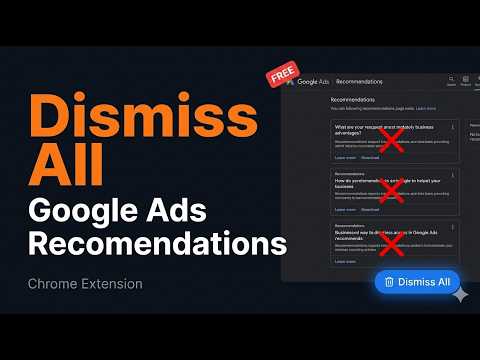
One-click dismiss all recommendations on Google Ads Recommendations page
Tired of Google Ads recommendations that have nothing to do with your actual business goals? This extension adds a single "🗑 Dismiss All" button to your Google Ads Recommendations page. One click — and the plugin automatically goes through every recommendation, dismisses it, and confirms every dialog. No manual clicking. No wasted time. HOW IT WORKS ────────────────────────── 1. Go to your Google Ads Recommendations page 2. Click the "🗑 Dismiss All" floating button (bottom-right corner) 3. Grab a coffee — the plugin handles the rest 4. Done. Clean slate. FEATURES ────────────────────────── ✓ Fully automated — clicks through menus, dismisses cards, confirms dialogs ✓ Auto-scroll — processes all recommendations, not just visible ones ✓ Works with both card-style and table-style recommendation layouts ✓ Shows live progress counter while running ✓ Button appears only on the Recommendations page, nowhere else ✓ No data collection. No external servers. 100% local. CURRENT LIMITATIONS ────────────────────────── ⚠ Currently works only with the English Google Ads interface. Support for other languages (Ukrainian, Polish, German, French, etc.) is in progress. BUILT BY A PPC SPECIALIST ────────────────────────── This tool was built out of frustration — after clicking "Dismiss" hundreds of times across dozens of client accounts. If you manage Google Ads professionally, you know the pain. Free. Open source. No strings attached.
5 out of 56 ratings
Details
- Version1.3.0
- UpdatedMay 28, 2026
- Offered bypetrichenkovladimir2007
- Size9.06KiB
- LanguagesEnglish
- Developer
Email
petrichenkovladimir2007@gmail.com - Non-traderThis developer has not identified itself as a trader. For consumers in the European Union, please note that consumer rights do not apply to contracts between you and this developer.
Privacy

This developer declares that your data is
- Not being sold to third parties, outside of the approved use cases
- Not being used or transferred for purposes that are unrelated to the item's core functionality
- Not being used or transferred to determine creditworthiness or for lending purposes
Support
For help with questions, suggestions, or problems, please open this page on your desktop browser