

Goodhue — EXIF Viewer, XMP Data & Lightroom Preset Extractor

Overview
View EXIF data & camera settings on any image. Extract XMP color data as a Lightroom preset with one click. Free EXIF & XMP viewer.
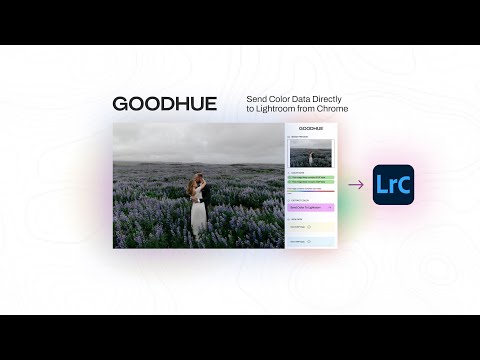
See the EXIF data behind any photo, then send its look straight to Lightroom. Goodhue is a free EXIF viewer and XMP data inspector for photographers. Browse any website and instantly see which images carry camera settings and editing metadata — then extract that color data into Adobe Lightroom Classic as a ready-to-apply preset with one click. 🔍 View EXIF data on any image - Camera make and model, lens, focal length, shutter speed, aperture, and ISO - Works on JPEG, PNG, WebP, and other formats as you browse - Instant on-page notice: ✅ This image likely contains EXIF data - Quick View mode: a green border or badge on hover marks images with metadata — no clicks needed 🎨 Inspect XMP color data; the editing recipe inside the photo - See the full develop settings embedded in an image: tone, contrast, HSL, color grading wheels, tone curves, split toning, grain, and more - A visual color bar shows how much color data an image carries at a glance - Beautiful visual breakdown of every slider, like opening the photo in the Develop module without leaving your browser ⚡ Extract a Lightroom preset from any photo with XMP data - One click sends an image's complete color recipe to Adobe Lightroom Classic through the free Goodhue Lightroom plugin - Copy the exact edit settings behind a look you love and apply them to your own photos - Choose how presets land: Adaptive, Fresh, or - Fresh + Auto apply modes for consistent results across a whole shoot 🧪 AI Lab — coming soon No XMP data in the image? Join the waitlist for AI Lab, which synthesizes a recipe from the closest real looks. Free to use. Create a free account to send looks to Lightroom; upgrade for unlimited extractions. Note: some images indicate color data that Lightroom cannot fully read; file formats and data structures vary. Metadata shown is publicly accessible information embedded in the image file by its creator. Learn more at www.goodhue.io Privacy Policy: goodhue.io/privacy-policy · Content owners can request removal at app.goodhue.io/takedown
5 out of 51 rating
Details
- Version3.1.22 · Download XMP as a Lightroom preset
- UpdatedOctober 16, 2026
- FeaturesOffers in-app purchases
- Size313KiB
- LanguagesEnglish
- Developer
- TraderThis developer has identified itself as a trader per the definition from the European Union and committed to only offer products or services that comply with EU laws.
- D-U-N-S075367152
Privacy

Goodhue — EXIF Viewer, XMP Data & Lightroom Preset Extractor has disclosed the following information regarding the collection and usage of your data. More detailed information can be found in the developer's privacy policy.
Goodhue — EXIF Viewer, XMP Data & Lightroom Preset Extractor handles the following:
This developer declares that your data is
- Not being sold to third parties, outside of the approved use cases
- Not being used or transferred for purposes that are unrelated to the item's core functionality
- Not being used or transferred to determine creditworthiness or for lending purposes
Support
For help with questions, suggestions, or problems, visit the developer's support site