


Overview
Adds the GoodGantt timeline and card visibility controls to Trello.
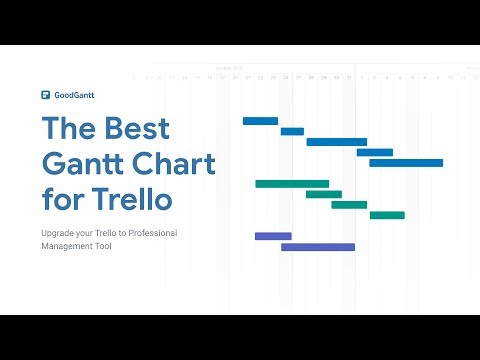
ALL BOARDS IN ONE PLACE In the Gantt Chart view, you can see all the boards of your Trello account and the tasks for them. You can disable what you want also. AUTOMATIC CARDS MOVEMENT Customize the necessary columns in which your cards will be added or moved - Default column This column automatically includes all tasks that are created through Gantt Chart View. - In progress column (SOON) If the time tracker starts tracking the time by task, it automatically moves to that column. - Completed column (SOON) Tasks that are marked as completed in the Gantt Chart View will automaticly move in this column. GROUPING Group tasks and build any hierarchy. Keep track of the progress of the exercise throughout the group. EXPORT Export a Gantt chart in the following ways: - PDF - PNG - Excel aid other systems RENAMING Change the name of the task/Trello card directly right on the Gantt View. CARDS OPENING Opening a Trello card directly in Gantt View. MILESTONES Flexible milestones creation. HOTKEYS Quick work with hotkeys. WORKLOAD PANEL Watch for the load of your team members and evenly distribute the load between them using the access panel. Choose between the number of tasks and the number of working hours per day. DEPENDENCES Build dependence between tasks. Any changes in terms will shift related tasks. CONNECT YOUR TIME TRACKERS (SOON) Connect your favorite time trackers and track your employees' performance right on the gantt chart. Tracked time is displayed as a green bar on the task line. STATS (SOON) Brief statistics of the time spent by the performer in each card. INDICATORS (SOON) Indication of changes in the cards on the Gantt View. PROGRESS (SOON) Make subjective progress on the task in order to understand at what stage the readiness is.
2.5 out of 520 ratings
Details
- Version4.0.1
- UpdatedOctober 26, 2026
- Size56.75KiB
- LanguagesEnglish
- DeveloperSERGEI VASKOVWebsite
Habibler Mah. Elmalili Hamdi Yazir Cad. No:82 / 6 Kepez Antalya, Antalya 07400 TREmail
support@goodgantt.comPhone
+7 965 598-29-17 - TraderThis developer has identified itself as a trader per the definition from the European Union and committed to only offer products or services that comply with EU laws.
Privacy

GoodGantt for Trello has disclosed the following information regarding the collection and usage of your data. More detailed information can be found in the developer's privacy policy.
GoodGantt for Trello handles the following:
This developer declares that your data is
- Not being sold to third parties, outside of the approved use cases
- Not being used or transferred for purposes that are unrelated to the item's core functionality
- Not being used or transferred to determine creditworthiness or for lending purposes