

ClickTimer
2 ratings
)
Overview
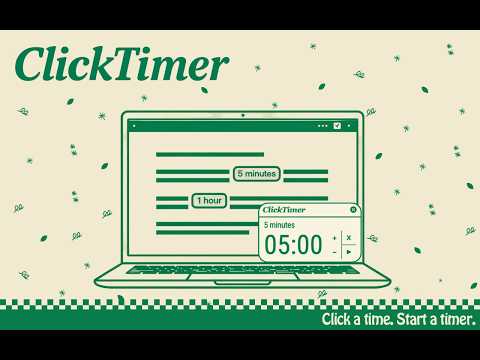
Detects times and durations on any webpage and turns them into clickable timers. Perfect for recipes, workouts, tutorials and more.
Instantly start a timer in one click with ClickTimer. ClickTimer automatically detects time durations on any webpage and turns them into clickable timers — without ever leaving the page. When you visit a recipe, workout plan, tutorial, or any page with time instructions, ClickTimer highlights durations like "30 minutes" or "1 hour 20 minutes" in the text. Features: - Click any highlighted duration to instantly start a countdown timer - Automatically detects times and durations as you browse - Stack multiple timers simultaneously - Floating timer panel — drag it anywhere on the page - Pause, resume, add or subtract time on the fly - Light and dark mode - Enable or disable with one click from the toolbar Perfect for: - Cooking and following recipes - Workouts and training plans - DIY tutorials and instructions - Any page where timing matters No account needed. No data collected. Everything happens locally in your browser.
5 out of 52 ratings
Details
- Version1.0.0
- UpdatedApril 30, 2026
- Size311KiB
- LanguagesEnglish
- Developer
Email
dominicware@gmail.com - Non-traderThis developer has not identified itself as a trader. For consumers in the European Union, please note that consumer rights do not apply to contracts between you and this developer.
Privacy

This developer declares that your data is
- Not being sold to third parties, outside of the approved use cases
- Not being used or transferred for purposes that are unrelated to the item's core functionality
- Not being used or transferred to determine creditworthiness or for lending purposes
Support
For help with questions, suggestions, or problems, visit the developer's support site