

Gmail Unsubscribe: Bulk Unsubscribe & Clean Inbox

Overview
Unsubscribe from unwanted emails in bulk and clean up what they sent, right inside Gmail. Free to start.
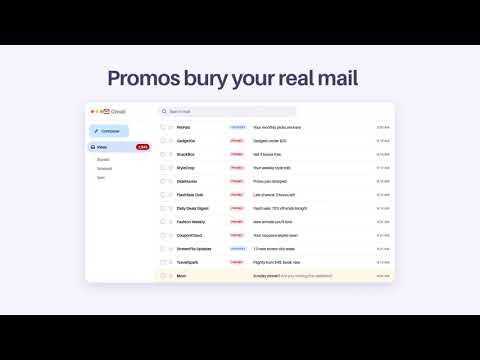
Unsubscribe from unwanted emails in bulk and clean up your Gmail inbox in minutes, without leaving Gmail. Gmail Unsubscribe lists every newsletter and promotion sender in your inbox. Tick the ones you're done with, click Unsubscribe, and the emails they already sent are cleared in the same step. ⭐ WHAT YOU GET ✔️ Bulk unsubscribe: tick senders, click once, done. ✔️ Clean as you go: their old emails are archived or moved to Trash in the same step. ✔️ Right inside Gmail: your sender list opens next to your inbox. Click a sender to see its emails. ✔️ Unsubscribes that stick: we use each sender's own unsubscribe, and a Gmail filter keeps them out when a link doesn't work. ✔️ New senders flagged: see who started emailing you, and decide. ✔️ Safe by default: banks, deliveries and real people are never picked for you. Starred emails stay. 🚀 HOW IT WORKS 1️⃣ Add to Chrome and open Gmail. 2️⃣ Sign in with Google. 3️⃣ Tick the senders you're done with and click Unsubscribe. 🔐 PRIVACY, PLAINLY Your email is yours. We don't store your messages, and we never sell or share your data. Unsubscribe emails go out from your own Gmail, as if you sent them by hand. Gmail Unsubscribe passed Google's CASA security assessment. Details: https://gmailunsubscribe.com/privacy 💎 FREE AND GU PRO 🆓 Free: 15 senders a month, no card needed. ⭐ GU Pro: unlimited unsubscribes, clear years of old promotions in one go, and senders who email again are cleared as they land. $2.99 a month billed yearly ($35.88), or $5.99 month to month. Try it free for 7 days. 14-day money-back guarantee. 👥 Trusted by 24,000+ people to clean their inboxes. 💬 Questions? Chat with us at https://gmailunsubscribe.com/dashboard/support. A real person reads every message. Gmail is a trademark of Google LLC. Gmail Unsubscribe is not affiliated with Google.
3.1 out of 566 ratings
Details
- Version4.19.0
- UpdatedNovember 14, 2026
- FeaturesOffers in-app purchases
- Size559KiB
- LanguagesEnglish
- DeveloperWebsite
Email
support@usebaxter.com - Non-traderThis developer has not identified itself as a trader. For consumers in the European Union, please note that consumer rights do not apply to contracts between you and this developer.
Privacy

This developer declares that your data is
- Not being sold to third parties, outside of the approved use cases
- Not being used or transferred for purposes that are unrelated to the item's core functionality
- Not being used or transferred to determine creditworthiness or for lending purposes
Support
For help with questions, suggestions, or problems, please open this page on your desktop browser